printer repair services Kenya

How to Extend the Life of Your Office Printer

The Ultimate Guide to Printer Maintenance in Kenya

Your office printer is one of the hardest-working machines in your business. Whether you’re printing invoices, reports, contracts, school exams, or marketing materials, a well-maintained printer keeps your operations running smoothly. Unfortunately, many businesses only think about printer maintenance in Kenya after their machine breaks down, leading to costly repairs, downtime, and lost productivity.

The good news? With proper care and regular servicing, you can significantly extend the life of your office printer while reducing maintenance costs.

In this guide, we’ll share practical tips to help your printer perform at its best and explain why professional maintenance is one of the smartest investments for any Kenyan business.

Why Printer Maintenance Matters

Office printers are precision machines with hundreds of moving components. Over time, dust, paper debris, worn-out rollers, and aging consumables can reduce print quality and eventually cause major failures.

Regular printer maintenance in Kenya helps:

  • Increase the lifespan of your printer
  • Reduce unexpected breakdowns
  • Improve print quality
  • Lower repair costs
  • Maintain faster printing speeds
  • Reduce paper jams
  • Improve office productivity

Instead of waiting for expensive repairs, preventive maintenance keeps your printer operating efficiently throughout its service life.

1. Clean Your Printer Regularly

Dust is one of the biggest enemies of office printers.

Dust particles accumulate inside the machine and affect sensitive components such as:

  • Paper feed rollers
  • Transfer rollers
  • Laser units
  • Sensors
  • Cooling fans

Cleaning Tips

  • Use a soft lint-free cloth.
  • Remove loose dust using compressed air where appropriate.
  • Clean paper trays regularly.
  • Avoid using household cleaning chemicals.
  • Keep the printer covered when not in use.

A clean printer produces cleaner prints and experiences fewer mechanical problems.

2. Use Genuine Toner and Ink

Using cheap counterfeit toner may save money initially, but it often causes long-term damage.

Poor-quality toner can:

  • Leak inside the printer
  • Damage the drum unit
  • Block developer assemblies
  • Produce faded prints
  • Wear out internal components faster

Always choose genuine or high-quality compatible toner from trusted suppliers.

At Rite Imaging Office Solutions, we supply premium toner cartridges designed for maximum printer performance.

3. Use Quality Paper

Low-quality paper produces excessive dust and fibers that clog printer components.

Choose paper with:

  • Correct GSM weight
  • Smooth surface
  • Proper moisture content
  • Reliable manufacturer standards

Poor paper frequently causes:

  • Multiple sheet feeding
  • Paper jams
  • Roller wear
  • Print defects

Quality paper protects both your documents and your printer.

4. Avoid Overloading the Paper Tray

Many users force large stacks of paper into the input tray.

This creates unnecessary pressure on:

  • Pickup rollers
  • Separation pads
  • Feed mechanisms

Instead:

  • Fill trays only to the recommended level.
  • Fan paper before loading.
  • Remove damaged sheets.

Your paper feed system will last much longer.

5. Switch Off the Printer Properly

Never disconnect power directly from the wall.

Instead:

  • Use the printer’s power button.
  • Allow the machine to complete its shutdown cycle.

Proper shutdown protects:

  • Hard drives (on multifunction printers)
  • Firmware
  • Print heads
  • Internal calibration processes

6. Keep the Printer in a Suitable Environment

Environmental conditions greatly affect printer lifespan.

Avoid placing printers:

  • Near windows
  • Under direct sunlight
  • In humid rooms
  • Close to water sources
  • Near excessive dust

Maintain:

  • Good ventilation
  • Stable room temperature
  • Low humidity

This protects electronic boards and mechanical components.

7. Replace Worn Parts Before They Fail

Every office printer contains consumable parts with limited service life.

Examples include:

  • Feed rollers
  • Fuser units
  • Imaging drums
  • Transfer belts
  • Separation pads
  • Maintenance kits

Replacing these parts at the recommended intervals prevents major breakdowns and extends the overall life of the machine.

8. Update Printer Firmware

Modern multifunction printers receive firmware updates that improve:

  • Security
  • Performance
  • Compatibility
  • Stability
  • Bug fixes

Professional technicians can safely install updates without affecting your printer settings.

9. Schedule Professional Preventive Maintenance

One of the most effective ways to extend your printer’s lifespan is to schedule regular professional servicing.

A preventive maintenance visit typically includes:

  • Internal cleaning
  • Roller inspection
  • Drum assessment
  • Fuser inspection
  • Sensor cleaning
  • Firmware checks
  • Print quality calibration
  • Lubrication of moving components
  • Replacement of worn consumables

Routine printer maintenance in Kenya helps detect minor issues before they become expensive repairs.

Warning Signs Your Printer Needs Maintenance

Don’t ignore these common symptoms:

  • Frequent paper jams
  • Faded printing
  • Smudged documents
  • Strange noises
  • Slow printing
  • Wrinkled paper
  • Toner leakage
  • Error messages
  • Lines on printed pages
  • Random printer restarts

Early servicing prevents permanent damage.

Benefits of Professional Printer Maintenance

Businesses that invest in scheduled maintenance enjoy:

  • Lower operating costs
  • Longer printer lifespan
  • Reduced downtime
  • Better print quality
  • Faster workflow
  • Improved employee productivity
  • Fewer emergency repairs
  • Higher return on investment

Whether you own one office printer or an entire fleet of multifunction devices, regular servicing pays for itself over time.

Why Choose Rite Imaging Office Solutions?

When it comes to printer maintenance in Kenya, choosing an experienced service provider makes all the difference.

At Rite Imaging Office Solutions, we provide professional maintenance and repair services for leading printer brands, including:

  • Konica Minolta
  • Kyocera
  • Ricoh

Our services include:

  • Preventive maintenance
  • Printer repairs
  • Genuine spare parts
  • Toner supply
  • Printer installation
  • Annual maintenance contracts (AMCs)
  • On-site servicing
  • Technical support for businesses, schools, NGOs, and government institutions

Our certified technicians ensure your equipment performs reliably, helping you avoid costly downtime and maximize your investment.

Final Thoughts

Your office printer is a valuable business asset, and like any important equipment, it requires regular care. Simple habits such as cleaning your printer, using quality consumables, and scheduling professional servicing can add years to its lifespan while improving reliability and reducing repair costs.

If you’re looking for dependable printer maintenance in Kenya, don’t wait until your printer breaks down. Preventive maintenance is the key to uninterrupted productivity and long-term savings.

Contact Rite Imaging Office Solutions Today

Keep your office running without interruptions with professional printer maintenance from Rite Imaging Office Solutions.

Whether you need routine servicing, emergency repairs, genuine spare parts, or expert technical support, our experienced team is ready to help.

Book your printer maintenance today and let us keep your office printing at peak performance.

Bizhub 364e

Is Bizhub 364e the Best Office Photocopier in Kenya?

Looking for the Best Bizhub 364e Kenya Deal?

When it comes to reliable office printing, copying, and document management, few machines have earned the reputation of the Konica Minolta Bizhub 364e. Designed for medium to large offices, schools, government institutions, SACCOs, hospitals, and businesses with demanding print volumes, the Bizhub 364e combines speed, reliability, and advanced workflow features into one powerful multifunction printer.

If you’re searching for the best Bizhub 364e Kenya supplier, this review will help you understand why this machine remains one of the smartest investments for Kenyan businesses.

What is the Konica Minolta Bizhub 364e?

The Konica Minolta Bizhub 364e is a monochrome A3 multifunction printer (MFP) that offers:

  • High-speed printing
  • Fast photocopying
  • Full-color scanning
  • Optional fax functionality
  • Secure document management

Although newer models exist, the Bizhub 364e continues to be one of the most trusted office machines due to its exceptional durability, low running costs, and availability of spare parts in Kenya.

Key Specifications

FeatureSpecification
Print Speed36 pages per minute
Print Resolution1,800 x 600 dpi
Copy Resolution600 x 600 dpi
Scan SpeedUp to 160 images per minute
Paper SizeA5 to A3
Monthly Duty CycleUp to 100,000 pages
Duplex PrintingYes
Automatic Document FeederYes
Touchscreen9-inch Color Touch Panel
Mobile PrintingSupported
Network PrintingYes

Design and Build Quality

One of the first things you’ll notice is the machine’s professional appearance. The Bizhub 364e features a modern touchscreen interface that is easy to navigate, even for first-time users.

Its robust construction is built for years of continuous office use, making it an excellent choice for Kenyan organizations that require dependable performance every day.

Performance Review

Fast Printing

Printing at 36 pages per minute, the Bizhub 364e handles large print jobs with ease.

Whether you’re printing:

  • Reports
  • Contracts
  • Examination papers
  • Office documents
  • Financial statements

The machine delivers fast, consistent results.

Excellent Copy Quality

The copier produces crisp text with sharp detail.

Features include:

  • Reduce and enlarge
  • Multiple copies
  • Book copying
  • ID card copying
  • Duplex copying
  • Image adjustment

These functions save both time and paper while improving productivity.

High-Speed Scanning

The built-in dual scan capability allows businesses to digitize documents quickly.

You can scan directly to:

  • Email
  • Network Folder
  • USB Drive
  • FTP
  • SMB

This makes document sharing simple across departments.

Print Quality

For a monochrome printer, print quality is outstanding.

Text appears:

  • Sharp
  • Dark
  • Professional

This makes the Bizhub 364e ideal for:

  • Legal offices
  • Schools
  • Banks
  • Hospitals
  • Government institutions
  • Corporate offices

Running Costs

One reason many businesses continue to choose the Bizhub 364e in the Kenya market is its affordable operating costs.

Benefits include:

  • Long-lasting toner
  • Energy-efficient operation
  • Durable imaging components
  • Affordable genuine spare parts
  • Easy servicing

With proper maintenance, this machine can operate reliably for many years.

Genuine Toner Cartridges for the Bizhub 364e

To maintain the exceptional print quality and reliability of your Bizhub 364e Kenya, using genuine or premium-quality compatible toner cartridges is essential.

The Konica Minolta Bizhub C364e uses the TN-321 toner cartridge series, available in four colours: Black, Cyan, Magenta, and Yellow. These cartridges are designed to produce sharp text, vibrant graphics, and consistent color output while delivering high page yields for busy office environments. (Toner Cap)

At Rite Imaging Office Solutions, we stock:

  • Genuine Konica Minolta TN-321 Toner Cartridges
  • Premium CET Compatible TN-321 Toner Cartridges
  • Black (K)
  • Cyan (C)
  • Magenta (M)
  • Yellow (Y)

Whether you need a single replacement cartridge or a complete toner set, we offer reliable printing solutions backed by expert advice and after-sales support.

Related Products

  • TN-321 Black Toner Cartridge
  • TN-321 Cyan/Blue Toner Cartridge
  • TN-321 Magenta/Red Toner Cartridge
  • TN-321 Yellow Toner Cartridge

Genuine Spare Parts Available at Rite Imaging Office Solutions

Regular maintenance keeps your Bizhub 364e operating efficiently while reducing costly downtime. We stock a comprehensive range of genuine and high-quality compatible spare parts for the Konica Minolta Bizhub C364e.

Some of our most popular replacement parts include:

  • OPC Drum Units
  • Drum Cleaning Blades
  • Developer Units
  • Developer Powder
  • Primary Charge Rollers (PCR)
  • Transfer Belts (Image Transfer Belt Units)
  • Transfer Rollers
  • Fuser Units
  • Upper & Lower Fuser Rollers
  • Pressure Rollers
  • Fuser Films
  • Separation Fingers
  • Thermistors
  • Thermostats
  • Pickup Rollers
  • Feed Rollers
  • Separation Rollers
  • Registration Rollers
  • Waste Toner Bottles
  • Imaging Units
  • Toner Hopper Components
  • Gears & Drive Assemblies
  • Paper Exit Rollers
  • Power Supply Boards
  • Formatter/Main Controller Boards

Every spare part is carefully selected to ensure dependable performance and compatibility with your Bizhub 364e.

Recommended Accessories

Improve your office productivity with accessories designed for the Bizhub 364e.

Available accessories include:

  • Additional Paper Cassette Trays
  • Large Capacity Paper Feed Unit
  • Automatic Staple Finisher
  • Booklet Finisher
  • Job Separator Tray
  • Cabinet Stand
  • Memory Expansion Options
  • USB Printing Accessories
  • Network Printing Accessories
  • Document Holders
  • Paper Output Trays

These upgrades help businesses handle larger print volumes and streamline document workflows.

Why Buy Consumables from Rite Imaging Office Solutions?

When you purchase your toner cartridges, spare parts, and accessories from Rite Imaging Office Solutions, you enjoy:

  • Genuine and premium-quality products
  • Competitive prices across Kenya
  • Expert installation and technical support
  • Fast nationwide delivery
  • Warranty on selected spare parts
  • Professional maintenance services
  • Experienced Konica Minolta technicians

Whether you need a replacement toner cartridge, a transfer belt, a drum unit, or a complete servicing kit, our team is ready to help keep your Bizhub 364e Kenya performing at its best.

Security Features

Modern offices require secure printing.

The Bizhub 364e includes features such as:

  • User authentication
  • Secure print release
  • Password protection
  • Hard disk security
  • Administrator controls

These help protect sensitive business information.

Connectivity Options

The printer supports multiple connection methods including:

  • Ethernet
  • USB
  • Mobile Printing
  • Network Printing
  • Scan to Email

This flexibility makes it suitable for both small and enterprise office environments.

Advantages

  • Reliable performance
  • Low maintenance costs
  • Fast scanning
  • Duplex printing
  • Easy-to-use touchscreen
  • Strong paper handling
  • Genuine spare parts readily available
  • Excellent value for money

Things to Consider

  • Monochrome printing only (no color printing)
  • Larger footprint than compact office printers
  • Best suited for medium to high-volume printing environments

Who Should Buy the Bizhub 364e?

This machine is ideal for:

  • Schools
  • Universities
  • NGOs
  • County Governments
  • Hospitals
  • Churches
  • Law Firms
  • SACCOs
  • SMEs
  • Corporate Offices
  • Print Shops

If your office regularly prints hundreds or thousands of pages each month, the Bizhub 364e is an excellent choice.

Why Buy Your Bizhub 364e in Kenya from Rite Imaging Office Solutions?

At Rite Imaging Office Solutions, we don’t just sell printers—we provide complete office printing solutions.

When you purchase your Bizhub 364e Kenya machine from us, you benefit from:

  • Genuine Konica Minolta machines
  • Professional installation
  • Expert technical support
  • Genuine spare parts
  • Toner supply
  • Preventive maintenance
  • Fast nationwide delivery across Kenya
  • Competitive pricing

Our experienced technicians ensure your printer performs at its best from day one.

Final Verdict

The Konica Minolta Bizhub 364e remains one of the most dependable monochrome multifunction printers available in Kenya. Its combination of speed, durability, low operating costs, and advanced workflow features makes it a worthwhile investment for organizations seeking reliable document management.

Whether you’re upgrading your current office equipment or setting up a new workplace, the Bizhub 364e Kenya market continues to offer one of the best returns on investment for businesses that demand productivity and efficiency.

Ready to Upgrade Your Office?

Looking for the best Bizhub 364e Kenya price?

Visit our Product Page today to view specifications, pricing, availability, and request a free quotation. Our team at Rite Imaging Office Solutions is ready to help you choose the right printer for your business and provide expert after-sales support across Kenya.

photocopier spare parts Kenya

Photocopier Spare Parts Kenya: Why Genuine Parts Save You More Money in the Long Run

In today’s fast-paced business environment, printers and photocopiers are essential tools that keep offices, schools, hospitals, and organizations running efficiently. However, like any machine, photocopiers and printers require maintenance and occasional replacement of worn-out components. When this happens, many businesses are tempted to buy the cheapest spare parts available in the market. While this may seem like a cost-saving decision, it often leads to higher expenses in the long run.

At Rite Imaging Office Solutions Ltd., we have seen firsthand how investing in genuine spare parts helps businesses reduce downtime, improve machine performance, and save significant amounts of money. If you are looking for reliable photocopier spare parts in Kenya, understanding the value of genuine parts is essential.

The Hidden Cost of Cheap Spare Parts

One of the biggest mistakes businesses make is focusing only on the purchase price of a spare part rather than its overall value. Counterfeit or low-quality compatible parts are usually cheaper, but they often wear out faster and may not meet the manufacturer’s specifications.

A low-quality drum unit, fuser assembly, transfer belt, or developer can cause:

  • Frequent machine breakdowns.
  • Poor print quality.
  • Increased service and repair costs.
  • Damage to other internal components.
  • Reduced machine lifespan.
  • Lost productivity due to downtime.

What appears to be a cheaper option today can quickly become an expensive problem tomorrow.

Genuine Spare Parts Are Designed for Your Machine

Original spare parts are manufactured specifically for the model they are intended to serve. This means they fit perfectly, operate efficiently, and work seamlessly with your printer or photocopier.

Whether you own a Konica Minolta Bizhub, Ricoh, Kyocera, Canon, HP, or Epson machine, genuine parts are engineered to maintain the same performance standards as the components originally installed by the manufacturer.

By using authentic photocopier spare parts Kenya, businesses can maintain optimal machine performance and avoid unnecessary repairs caused by incompatible components.

Longer Lifespan Means Lower Costs

Durability is one of the greatest advantages of genuine spare parts. High-quality components are built to withstand heavy workloads and maintain consistent performance over a longer period.

For example, a genuine fuser unit may last significantly longer than a counterfeit replacement. While the initial purchase price may be higher, the cost per print becomes much lower because the part does not require frequent replacement.

This reduces:

  • Maintenance expenses.
  • Technician call-out charges.
  • Replacement frequency.
  • Operational interruptions.

Over time, genuine parts provide a much better return on investment.

Reduced Downtime Keeps Your Business Productive

Every minute a photocopier is out of service affects productivity. Offices cannot print invoices, schools cannot produce examination papers, and businesses may experience delays in customer service.

Using genuine spare parts minimizes unexpected failures and keeps your equipment operating reliably. Reliable machines mean employees spend more time working and less time waiting for repairs.

When purchasing photocopier spare parts in Kenya, reliability should always be a top priority because downtime often costs more than the spare part itself.

Genuine Parts Protect Your Entire Machine

A photocopier is made up of multiple interconnected systems. If one poor-quality component fails, it can damage several other parts within the machine.

For instance, an inferior transfer belt or fuser unit can place additional strain on surrounding components, resulting in expensive repairs that could have been avoided.

Genuine spare parts help maintain the integrity of the entire system by ensuring every component functions as intended. This protects your investment and extends the overall lifespan of your equipment.

Better Print Quality and Professional Results

Businesses rely on professional-looking documents to represent their brand. Poor-quality spare parts can cause:

  • Faded prints.
  • Smudging.
  • Lines on pages.
  • Uneven colors.
  • Frequent paper jams.

Genuine components deliver consistent image quality and ensure every document looks sharp and professional. This is especially important for schools, government institutions, corporate offices, and printing businesses that handle high-volume printing.

Genuine Spare Parts Offer Greater Peace of Mind

Buying from a trusted supplier gives you confidence that you are receiving authentic, tested, and reliable products. You avoid the risks associated with counterfeit parts and receive professional guidance on selecting the correct component for your machine.

Working with an experienced supplier also ensures faster support whenever you need assistance with installation, maintenance, or technical advice.

Why Choose Rite Imaging Office Solutions Ltd.?

At Rite Imaging Office Solutions Ltd., we supply high-quality and genuine photocopier spare parts in Kenya for leading brands, including:

  • Konica Minolta Bizhub.
  • Ricoh.
  • Kyocera.
  • Canon.
  • HP.
  • Epson.

Our team understands the importance of reliable office equipment, which is why we provide authentic parts that help customers reduce maintenance costs, improve machine performance, and extend the lifespan of their devices.

Whether you need drums, fuser units, transfer belts, developers, rollers, gears, maintenance kits, or other replacement components, we are committed to delivering dependable solutions that keep your business running smoothly.

Final Thoughts

Buying cheap spare parts may appear to save money initially, but the hidden costs often outweigh the short-term savings. Frequent breakdowns, poor print quality, increased repairs, and reduced machine lifespan can become far more expensive than investing in genuine components from the start.

Choosing authentic photocopier spare parts Kenya is not just about replacing a component it is about protecting your equipment, maintaining productivity, and maximizing your return on investment.

If you are looking for trusted and reliable photocopier spare parts in Kenya, contact Rite Imaging Office Solutions Ltd. today. Our team is ready to help you find the right spare parts for your printer or photocopier and ensure your machines continue operating at peak performance.

Bizhub error solution

How to Fix Common Bizhub Error Codes Without Guesswork

If your Konica Minolta Bizhub photocopier suddenly stops working and displays a mysterious error code, don’t panic. Most Bizhub error codes are designed to help identify exactly what’s wrong with your machine. Some issues can be resolved within minutes, while others require professional servicing.

In this guide, we’ll explain the most common Konica Minolta Bizhub error codes, what causes them, and the best solutions to get your printer back to work quickly.

Whether you own a Bizhub C224e, C364e, C360i, C250i, C450i, or any other Konica Minolta multifunction printer, this article will help you troubleshoot like a professional.

Why Understanding Bizhub Error Codes Matters

Every minute your office printer is down means:

  • Delayed printing
  • Lost productivity
  • Missed deadlines
  • Frustrated employees
  • Increased repair costs

Knowing what these Bizhub error codes mean allows you to:

  • Diagnose problems faster
  • Avoid unnecessary downtime
  • Prevent expensive damage
  • Know when a simple restart is enough
  • Decide when professional servicing is necessary

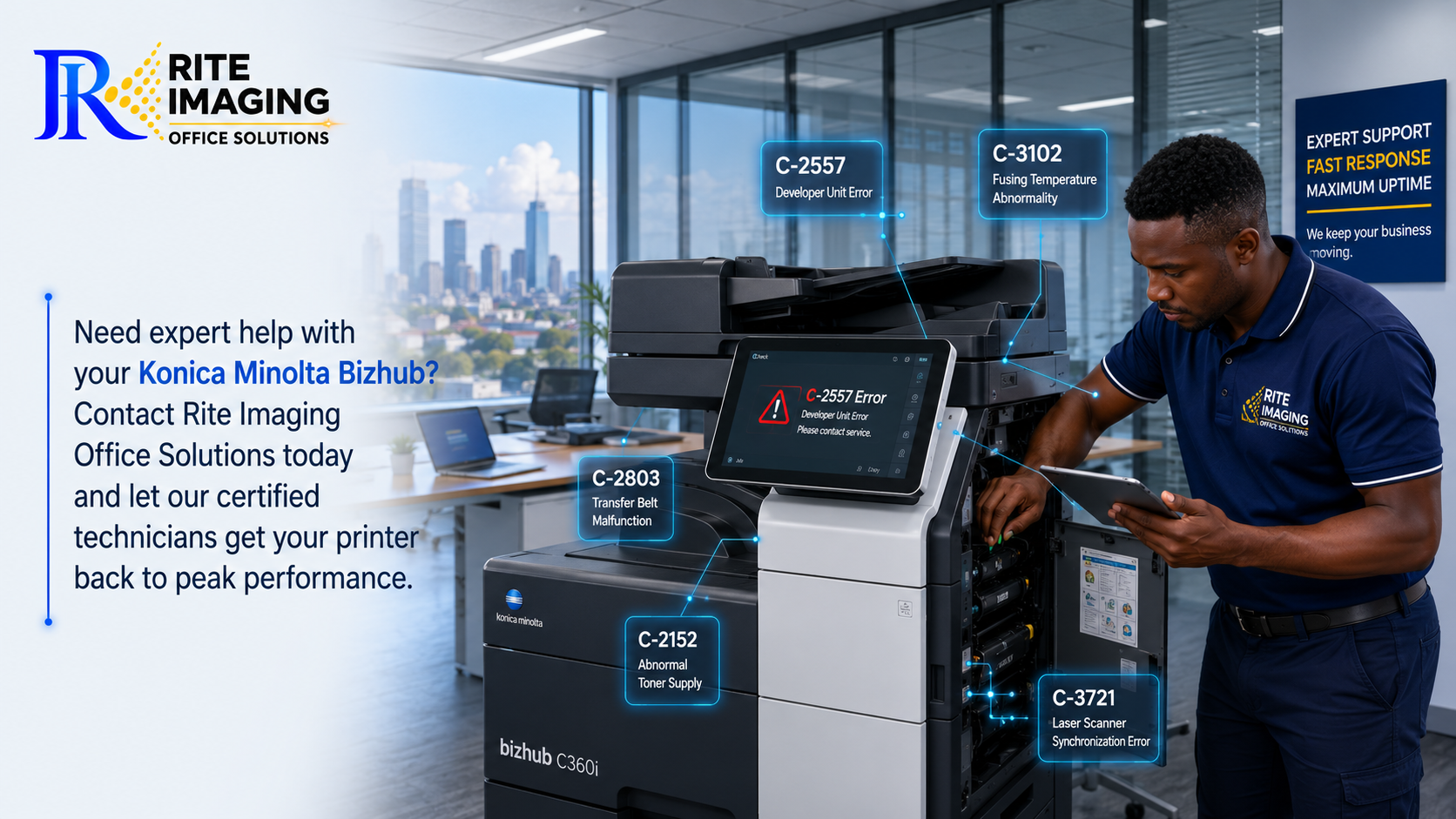
1. C-2557 Error

Meaning

Developer failure or toner density abnormality.

Common Causes

  • Low developer
  • Incorrect toner
  • Worn developer unit
  • Imaging unit problem

How to Fix It

  • Check toner installation.
  • Confirm you’re using the correct toner.
  • Replace the developer if necessary.
  • Perform Toner Density Adjustment.
  • If the error returns, the imaging unit may require replacement.

2. C-2803 Error

Meaning

Transfer belt (Intermediate Transfer Belt) malfunction.

Common Causes

  • Dirty transfer belt
  • Belt motor problem
  • Damaged transfer belt
  • Sensor failure

Solution

  • Clean the transfer belt.
  • Restart the machine.
  • Inspect the transfer belt assembly.
  • Replace the belt if worn.

3. C-3102 Error

Meaning

Fusing temperature abnormality.

Common Causes

  • Faulty fusing unit
  • Thermistor contamination
  • Heater lamp failure

Solution

  • Turn the machine off.
  • Allow it to cool.
  • Restart.
  • Clean the thermistor.
  • Replace the fusing unit if necessary.

4. C-3451 Error

Meaning

Main motor abnormality.

Common Causes

  • Main motor failure
  • Mechanical obstruction
  • Gear damage

Solution

  • Check for paper jams.
  • Inspect gears.
  • Remove foreign objects.
  • Replace the motor if required.

5. C-3721 Error

Meaning

Laser scanner synchronization failure.

Causes

  • Dirty laser unit
  • Scanner motor failure
  • Loose cable

Solution

  • Clean the laser window.
  • Inspect scanner connections.
  • Replace the laser scanner if defective.

6. C-5354 Error

Meaning

Waste toner full.

Causes

  • Waste toner bottle full
  • Sensor blocked
  • Waste toner path clogged

Solution

  • Empty or replace the waste toner container.
  • Clean toner sensors.
  • Reset the warning after replacement.

7. C-2152 Error

Meaning

Abnormal toner supply.

Causes

  • Empty toner cartridge
  • Blocked toner supply
  • Toner motor failure

Solution

  • Replace toner.
  • Shake the cartridge gently.
  • Inspect the toner drive.
  • Clean the toner supply system.

8. C-0202 Error

Meaning

Paper tray lifting failure.

Causes

  • Paper tray overloaded
  • Lift motor issue
  • Broken lifting mechanism

Solution

  • Remove excess paper.
  • Reload correctly.
  • Restart the machine.
  • Replace lift motor if necessary.

9. C-1440 Error

Meaning

ADF (Automatic Document Feeder) problem.

Causes

  • Dirty rollers
  • Paper jam
  • Roller wear

Solution

  • Remove paper.
  • Clean rollers.
  • Replace worn pickup rollers/ feed rubbers.

10. C-E301 Error

Meaning

Network communication error.

Causes

  • Network interruption
  • IP conflict
  • Cable problem

Solution

  • Restart the printer.
  • Check Ethernet cable.
  • Verify IP settings.
  • Restart your network switch or router.

Quick Troubleshooting Checklist for Bizhub Error Codes

Before calling a technician, try these steps:

  • Restart the printer.
  • Check for paper jams.
  • Confirm all doors are properly closed.
  • Ensure toner cartridges are installed correctly.
  • Clean accessible sensors.
  • Verify power supply.
  • Inspect network connections.

Many temporary Bizhub error codes disappear after these simple checks.

Errors You Should Never Ignore

Some errors indicate serious hardware problems and should be handled by qualified technicians.

These include:

  • Fusing unit failures
  • Laser scanner errors
  • Main motor failures
  • High-voltage supply errors
  • EEPROM errors
  • Memory failures

Attempting DIY repairs on these components may cause further damage.

Preventing Future Bizhub Error Codes

Regular maintenance dramatically reduces unexpected breakdowns.

Best Practices

  • Clean the machine monthly.
  • Use genuine or high-quality compatible toner.
  • Replace worn rollers before failure.
  • Empty waste toner bottles regularly.
  • Update firmware when recommended.
  • Schedule preventive maintenance every 6–12 months.
  • Keep the machine in a clean, dust-free environment.

Proper maintenance can significantly extend the lifespan of your Konica Minolta photocopier.

When Should You Call a Technician?

Call a professional if:

  • The same error keeps returning.
  • The machine displays multiple error codes.
  • You notice burning smells.
  • The copier makes unusual grinding noises.
  • Error codes appear immediately after restart.
  • Internal components require replacement.

Ignoring recurring Bizhub error codes can lead to more expensive repairs.

Why Choose Rite Imaging Office Solutions?

At Rite Imaging Office Solutions, we specialize in the supply, repair, servicing, and maintenance of Konica Minolta Bizhub photocopiers across Kenya.

Our experienced technicians provide:

  • Fast onsite repairs
  • Genuine replacement parts
  • Preventive maintenance
  • Toner and consumables
  • Firmware updates
  • Technical support for all Bizhub models

Whether your machine has a simple paper feed issue or a complex system error, our team is ready to help restore your office productivity.

Frequently Asked Questions (FAQs)

What are Bizhub error codes?

Bizhub error codes are diagnostic messages displayed by Konica Minolta photocopiers to identify hardware, software, or maintenance issues.

Can I reset Bizhub error codes myself?

Some temporary errors can be cleared by restarting the machine. However, hardware-related errors often require servicing or replacement of faulty components.

Are Bizhub error codes the same on every Konica Minolta model?

Most error codes are similar across Bizhub models, but some vary depending on the machine’s generation and installed components.

How often should a Bizhub photocopier be serviced?

For offices with regular use, preventive maintenance every 6–12 months helps reduce downtime and prolongs equipment life.

What should I do if the same error keeps returning?

Repeated error codes usually indicate an underlying hardware issue. Continued use without repair may worsen the problem, so professional diagnosis is recommended.

Final Thoughts

Understanding Bizhub error codes can save your business time, money, and unnecessary frustration. While many issues have simple solutions, persistent or hardware-related errors should be addressed promptly to avoid costly downtime.

If your Konica Minolta photocopier continues to display error messages or needs expert attention, Rite Imaging Office Solutions is here to help with reliable servicing, genuine parts, and professional technical support across Kenya.

Need expert help with your Konica Minolta Bizhub? Contact Rite Imaging Office Solutions today and let our certified technicians get your printer back to peak performance.

12 Essential Steps to Prevent Breakdowns and Extend Printer Life

12 Simple Steps to Keep Your Printer Running Like New

Whether you own a small office printer or a high-volume multifunction photocopier, regular maintenance is the key to keeping your equipment running efficiently. Ignoring routine care can lead to paper jams, poor print quality, unexpected breakdowns, and costly repairs.

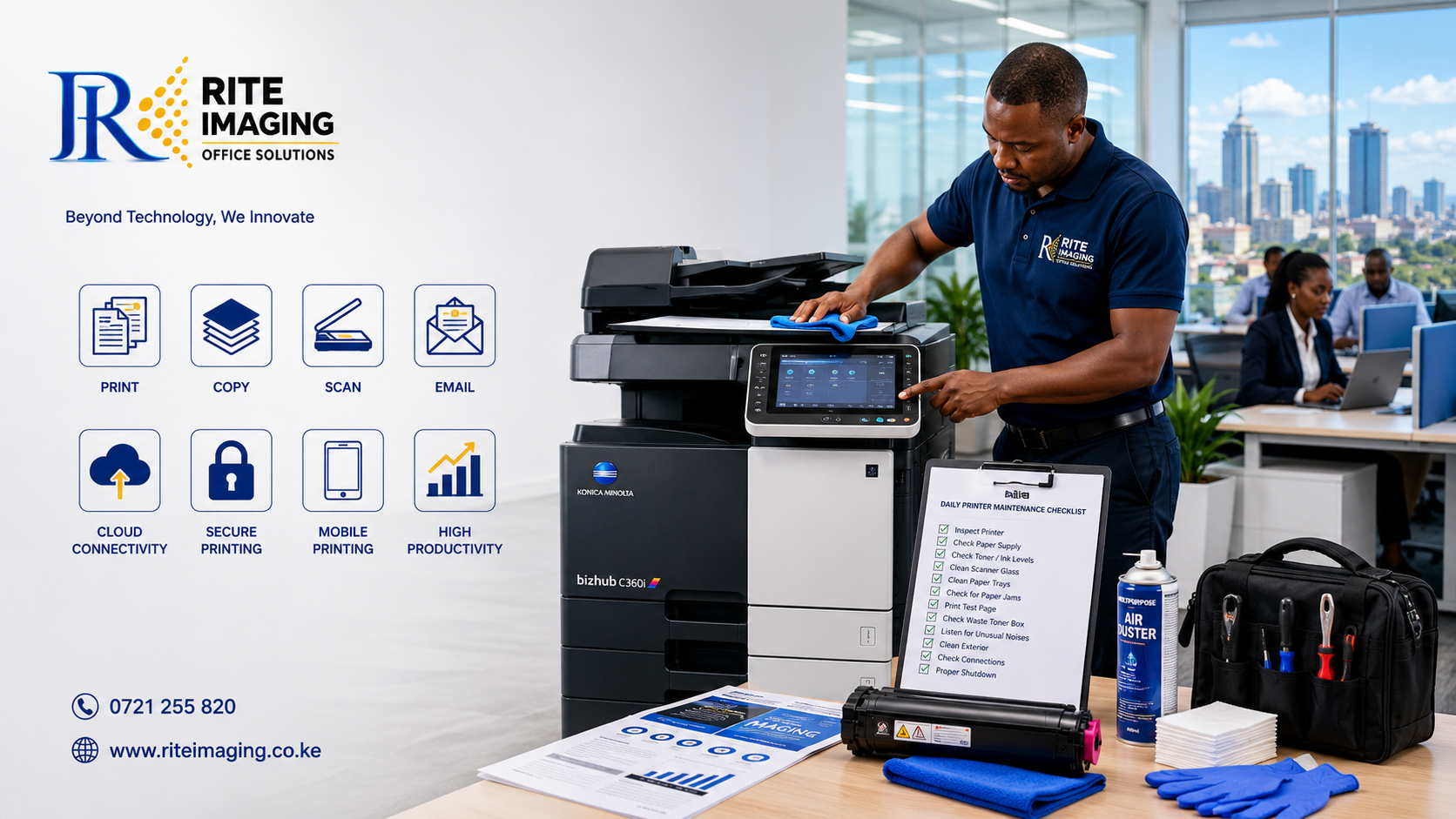
Following a printer maintenance checklist every day helps improve performance, reduce downtime, and extend the lifespan of your printer. In this guide, we’ll walk you through a simple daily maintenance routine that every business, school, and organization should follow.

Why a Daily Printer Maintenance Checklist Matters

Printers and photocopiers are among the hardest-working devices in any office. Dust, worn consumables, and improper handling gradually reduce their efficiency.

A daily printer maintenance checklist helps you:

  • Prevent unexpected machine failures.
  • Improve print quality.
  • Reduce paper jams.
  • Extend the lifespan of your printer.
  • Lower maintenance and repair costs.
  • Increase office productivity.
  • Protect sensitive internal components from dust and debris.

Think of daily maintenance as preventive care; just a few minutes each day can save hours of downtime later.

12-Step Daily Printer Maintenance Checklist

1. Inspect the Printer Before Use

Start each day by checking the printer for:

  • Error messages
  • Warning lights
  • Loose cables
  • Unusual sounds
  • Physical damage

Identifying small issues early prevents larger problems.

2. Clean the Exterior

Dust easily accumulates on printers.

Use a soft microfiber cloth to wipe:

  • Control panel
  • Paper trays
  • Scanner glass cover
  • Exterior casing

Avoid spraying cleaning liquid directly onto the printer.

3. Clean the Scanner Glass

Dirty scanner glass causes:

  • Black lines on copies
  • Blurred scans
  • Poor-quality documents

Use a lint-free cloth with glass cleaner/home dry applied to the cloth, not directly on the glass.

4. Check Paper Supply

Using poor-quality paper is one of the leading causes of paper jams.

Ensure:

  • Paper is dry.
  • Sheets are not curled.
  • Paper guides are adjusted correctly.
  • Trays are not overloaded.

Always use the paper type recommended by the manufacturer.

5. Inspect Toner or Ink Levels

Low toner affects print quality and may interrupt large print jobs.

Check:

  • Toner percentage
  • Ink levels
  • Toner warnings

Replace consumables before they become completely empty.

6. Remove Dust from Paper Trays

Paper trays attract dust that eventually enters the paper path.

Daily cleaning helps prevent:

  • Multiple sheet feeding
  • Paper jams
  • Dirty prints

A soft brush or dry microfiber cloth works well.

7. Check for Paper Jams

Even if the printer appears to be working normally, inspect:

  • Duplex unit
  • Exit tray
  • Fuser area (only if safe)
  • Paper path

Caution: Never pull jammed paper forcefully.

8. Print a Test Page

Printing a test page every morning helps detect:

  • Faded printing
  • Missing colors
  • Streaks
  • Alignment problems

Resolving these issues early improves document quality throughout the day.

9. Empty Waste Toner Containers (When Needed)

Many multifunction printers have waste toner containers.

If full, the printer may stop operating.

Check alerts regularly and replace the container according to manufacturer guidelines.

10. Listen for Unusual Noises

Grinding, clicking, or squeaking sounds often indicate:

  • Worn rollers
  • Loose gears
  • Foreign objects
  • Failing components

Report unusual noises before they develop into major failures.

11. Shut Down Properly

Avoid switching off the printer directly from the power source.

Instead:

  • Finish current print jobs.
  • Use the printer’s power button.
  • Allow it to complete its shutdown sequence.

Proper shutdown protects internal components.

12. Keep the Area Around the Printer Clean

The printer environment matters.

Keep the machine away from:

  • Excessive dust
  • Direct sunlight
  • Moisture
  • Food and drinks

Ensure there is enough ventilation around the printer to prevent overheating.

Common Printer Maintenance Mistakes to Avoid

Many printer problems result from simple mistakes.

Avoid:

  • Using low-quality paper.
  • Ignoring warning messages.
  • Waiting until toner is completely empty.
  • Cleaning with harsh chemicals.
  • Overloading paper trays.
  • Touching imaging drums with bare hands.
  • Ignoring strange noises.

Small habits can significantly impact the lifespan of your printer.

Benefits of Following a Printer Maintenance Checklist

Businesses that follow a daily maintenance routine enjoy several advantages:

  • Fewer service interruptions.
  • Better print quality.
  • Longer equipment lifespan.
  • Reduced repair costs.
  • Improved staff productivity.
  • Lower overall operating expenses.

Regular maintenance is far less expensive than emergency repairs or replacing damaged components.

When Should You Call a Professional Technician?

Daily maintenance prevents many issues, but some problems require expert attention.

Contact a qualified technician if your printer experiences:

  • Frequent paper jams
  • Persistent error codes
  • Toner leaks
  • Poor print quality after cleaning
  • Grinding or abnormal noises
  • Network connectivity problems
  • Slow printing performance
  • Failure to power on

Professional servicing ensures problems are diagnosed and repaired correctly before they become more serious.

Why Choose Rite Imaging Office Solutions?

At Rite Imaging Office Solutions, we understand how essential reliable printing is to your business operations.

Our experienced technicians provide professional:

  • Printer servicing
  • Photocopier maintenance
  • Preventive maintenance programs
  • Toner and consumables supply
  • Spare parts replacement
  • On-site repairs
  • Printer installation and support

Whether you operate a small office or manage multiple high-volume multifunction printers, our team is committed to keeping your equipment running at peak performance.

Final Thoughts

A few minutes of preventive care each day can make a significant difference in the performance and lifespan of your printer. By following this printer maintenance checklist, you can minimize downtime, improve print quality, and avoid costly repairs.

Remember, while daily maintenance helps prevent common issues, regular professional servicing is equally important for keeping your printer in excellent condition. Investing in preventive maintenance today will save you time, money, and frustration in the future.

Need Professional Printer Maintenance in Kenya?

Rite Imaging Office Solutions offers reliable printer and photocopier maintenance services for businesses, schools, NGOs, and government institutions across Kenya. Contact our team today to schedule preventive maintenance and keep your office printing without interruption.

trusted-printer-supplier-kenya

Everything Your Office Needs Under One Roof

Why Rite Imaging Office Solutions Is Your Trusted Printing Partner in Kenya

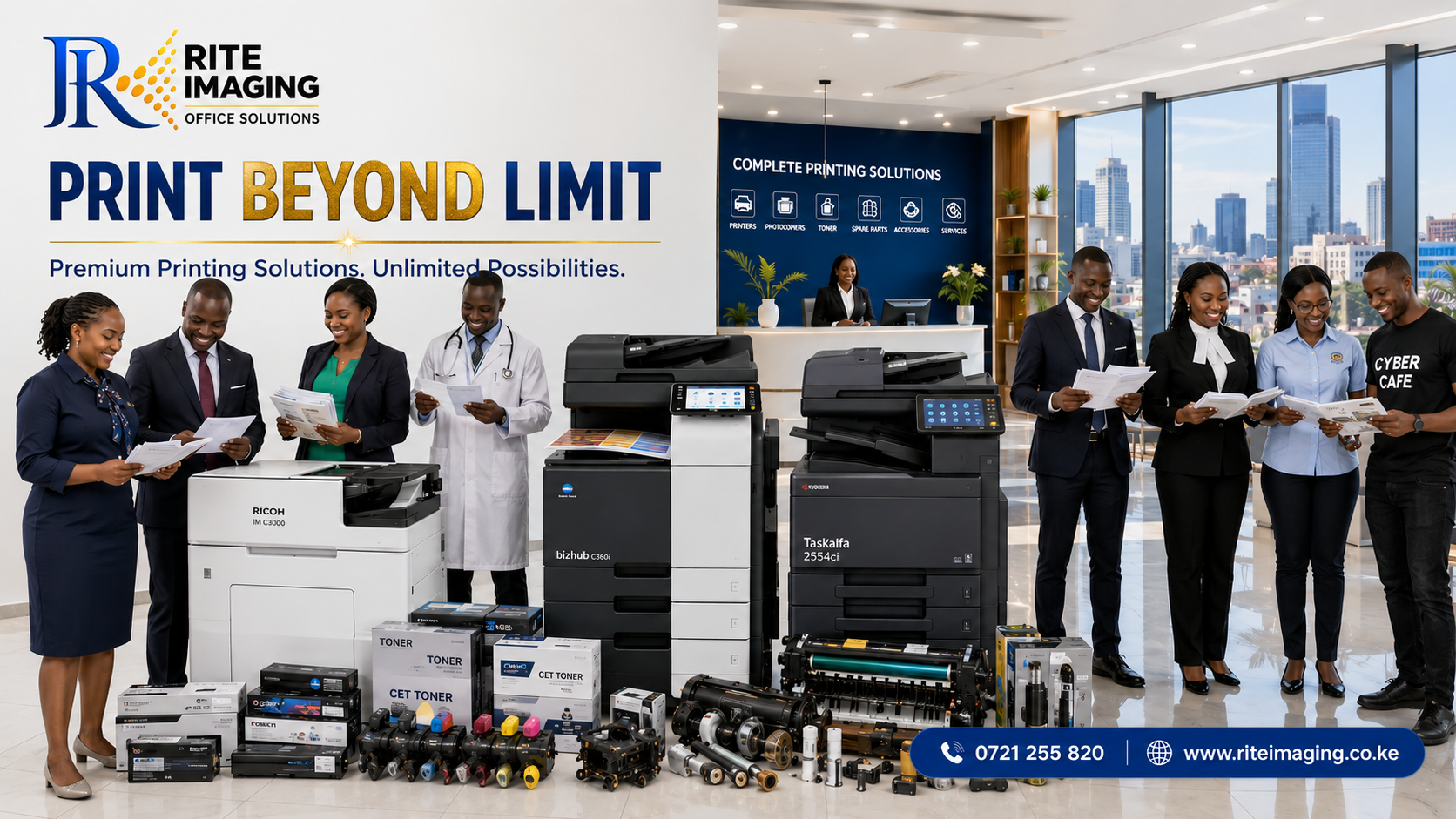
Whether you run a small business, a busy corporate office, a school, a hospital, a government institution, or a printing bureau, reliable printing equipment is essential for your daily operations. Choosing the right printer supplier Kenya businesses can trust is just as important as choosing the right machine.

At Rite Imaging Office Solutions, we don’t just sell printers and photocopiers, we provide complete printing solutions that help organizations improve productivity, reduce printing costs, and keep operations running without interruptions.

If you’re looking for a dependable partner for office printing equipment in Kenya, here’s why thousands of organizations continue to choose Rite Imaging Office Solutions.

Your One-Stop Printer Supplier in Kenya

Unlike suppliers who only sell machines, Rite Imaging Office Solutions provides everything your office needs under one roof.

Our solutions include:

  • High-quality multifunction printers
  • Professional photocopiers
  • Color and monochrome office printers
  • Genuine and premium compatible toner cartridges
  • Photocopier spare parts
  • Printer accessories
  • Preventive maintenance
  • Repair services
  • Installation and setup
  • Annual maintenance contracts
  • Technical support

This means you never have to look for multiple suppliers whenever your office requires a printer, replacement parts, or servicing.

We Supply Industry-Leading Printer Brands

Every organization has different printing needs. That’s why we supply trusted global brands known for performance and durability.

Our product range includes:

  • Konica Minolta Bizhub series
  • Ricoh multifunction printers
  • Kyocera TASKalfa printers
  • Kyocera Triumph-Adler printers
  • Epson printers
  • HP printers
  • Canon plotters

Whether you need a compact office printer or a high-volume production photocopier, we help you choose equipment that matches your workload and budget.

Complete Printing Solutions for Every Industry

Different industries print differently. Our team understands this and recommends machines that meet your specific requirements.

Schools and Universities

Educational institutions print:

  • Examination papers
  • Report forms
  • Student records
  • Learning materials
  • Administrative documents

We supply reliable high-volume photocopiers capable of handling large print jobs with ease.

Corporate Offices

Businesses rely on professional printing every day.

Our solutions help offices print:

  • Contracts
  • Reports
  • Invoices
  • Presentations
  • Marketing materials
  • Financial documents

Our multifunction printers combine printing, copying, scanning, and document sharing in one efficient machine.

Government Institutions

Government offices require secure, reliable, and efficient document management.

We provide machines designed for:

  • Heavy workloads
  • Departmental printing
  • Bulk copying
  • Secure document handling
  • Long-term reliability

Hospitals and Medical Facilities

Healthcare organizations require uninterrupted printing for:

  • Patient records
  • Laboratory reports
  • Medical forms
  • Prescriptions
  • Administrative documents

Reliable equipment ensures patient services continue without delays.

NGOs and Development Organizations

NGOs often produce:

  • Training manuals
  • Workshop materials
  • Project reports
  • Donor documentation

We recommend cost-effective printing solutions that reduce operational expenses while maintaining professional quality.

Law Firms

Legal professionals depend on accurate document reproduction.

Our printers produce:

  • Court documents
  • Contracts
  • Case files
  • Affidavits
  • Client records

High-resolution printing ensures every document remains professional and easy to read.

Banks and Financial Institutions

Financial organizations require secure, high-speed printing for:

  • Statements
  • Customer documents
  • Internal reports
  • Compliance paperwork

Our enterprise printers deliver speed, consistency, and reliability.

Printing Businesses and Cyber Cafés

Businesses offering printing services require equipment that performs continuously throughout the day.

We supply commercial photocopiers designed for:

  • High monthly print volumes
  • Fast output
  • Low operating costs
  • Professional image quality

Genuine Toner Cartridges That Deliver Better Results

Printing quality depends heavily on the toner you use. At Rite Imaging Office Solution we are known as the biggest suppliers and sellers of CET toner cartridges, which assure you a high quality yield output from your printers.

We stock:

  • Genuine toner cartridges
  • Premium compatible toner cartridges
  • CET toner products
  • Bulk toner for selected Kyocera printer models

Available for brands including:

  • Konica Minolta
  • Ricoh
  • Kyocera
  • HP
  • Canon
  • Epson

Using quality toner improves print clarity, reduces machine wear, and lowers maintenance costs.

Original Spare Parts You Can Trust

A printer is only as reliable as the parts inside it.

We supply replacement parts including:

  • Drums
  • Developers
  • Transfer belts
  • Fuser units
  • Feed rollers
  • Pickup rollers
  • Separation pads
  • Imaging units
  • Waste toner bottles
  • Maintenance kits

Using quality parts helps extend your machine’s lifespan while reducing unexpected breakdowns.

Professional Installation and Setup

Purchasing a printer is only the beginning.

Our technicians handle:

  • Installation
  • Network configuration
  • User setup
  • Driver installation
  • Print testing
  • Staff training

Your team can begin printing immediately without technical complications.

Expert Printer Repair and Maintenance Services

Unexpected printer breakdowns can slow your entire organization.

Our experienced technicians provide:

  • Printer diagnostics
  • Preventive maintenance
  • Emergency repairs
  • Routine servicing
  • Replacement of worn components
  • Firmware updates
  • Performance optimization

Regular servicing minimizes downtime and protects your investment.

Why Businesses Across Kenya Choose Rite Imaging Office Solutions

Here are just a few reasons organizations continue working with us:

Professional Expertise

Our technicians have extensive experience working with leading printer and photocopier brands.

Genuine Products

We supply quality machines, parts, and consumables sourced from trusted manufacturers.

Customer-Focused Service

We recommend solutions based on your actual printing requirements—not simply the most expensive option.

Fast Technical Support

When problems arise, our responsive support team works to restore your printing operations quickly.

Affordable Solutions

We provide cost-effective printing equipment suitable for businesses of all sizes.

Long-Term Partnerships

Many of our clients rely on us not only for equipment purchases but also for ongoing maintenance, toner supplies, and technical support.

Helping Businesses Reduce Printing Costs

Choosing the right equipment can significantly reduce operational expenses.

Our experts help clients:

  • Select the right machine size and function
  • Affordable quality toner costs
  • Reduce paper waste
  • Improve workflow efficiency
  • Minimize downtime
  • Extend equipment lifespan

The result is better productivity and lower total printing costs.

Supporting Organizations Across Kenya

Whether you’re located in Nairobi, Mombasa, Kisumu, Nakuru, Eldoret, Thika, Nyeri, Machakos, Meru, or anywhere else in Kenya, Rite Imaging Office Solutions is committed to providing dependable printing solutions backed by professional customer support.

Our goal is simple: to help every organization print smarter, faster, and more efficiently.

Your Trusted Printer Supplier Kenya Businesses Can Count On

When you invest in office printing equipment, you’re not just buying a machine, you’re choosing a long-term partner.

At Rite Imaging Office Solutions, we are committed to delivering quality products, dependable technical support, genuine consumables, and professional service that keeps your organization productive every day.

Whether you need your first office printer, a fleet of multifunction photocopiers, replacement spare parts, toner cartridges, or expert maintenance services, we are ready to help.

Why Choose Rite Imaging Office Solutions?

  • Wide range of printers and photocopiers
  • Genuine and compatible toner cartridges
  • Quality spare parts and accessories
  • Professional installation
  • Certified technical support
  • Preventive maintenance services
  • Fast repairs
  • Affordable pricing
  • Reliable customer service
  • Solutions tailored for every industry

Contact Rite Imaging Office Solutions Today

Looking for dependable printer supplier Kenya organizations trust?

Rite Imaging Office Solutions is your complete printing partner for:

  • Office Printers
  • Multifunction Photocopiers
  • Toner Cartridges
  • Spare Parts
  • Printer Accessories
  • Repairs
  • Preventive Maintenance
  • Installation
  • Technical Support
Why Every School Needs a High-Speed Photocopier in Kenya

Looking for the Best School Photocopier in Kenya?

Why Every School Needs a High-Speed Photocopier in Kenya

In today’s education environment, efficiency is no longer optional. Schools are expected to print examinations, lesson plans, report cards, admission forms, learning materials, newsletters, certificates, and administrative documents every single day.

A slow or unreliable printer can delay classroom activities, increase operational costs, and reduce productivity for both teachers and administrators.

Investing in the right school photocopier Kenya institutions can rely on is one of the smartest decisions a school can make. Whether you’re running a kindergarten, primary school, secondary school, college, university, or tuition center, a high-speed multifunction photocopier saves time, lowers printing costs, and improves workflow.

At Rite Imaging Office Solution, we help educational institutions across Kenya choose affordable, reliable, and high-performance photocopiers designed specifically for school environments.

Why Schools Print More Than Most Organizations

Unlike many businesses, schools produce thousands of pages every month.

Daily printing includes:

  • Examination papers
  • Homework worksheets
  • Continuous Assessment Tests (CATs)
  • Lesson notes
  • Report cards
  • Admission forms
  • Circulars
  • Timetables
  • Student records
  • Certificates
  • Staff documents
  • Learning materials

A standard office printer cannot efficiently handle this workload. Schools require machines specifically designed for high monthly print volumes.

Benefits of a High-Speed School Photocopier

1. Faster Printing During Exam Seasons

Exam periods often require thousands of copies within a few hours.

A high-speed photocopier can produce between 30 and 75 pages per minute, ensuring exams are ready on time.

Instead of waiting hours for printing, teachers can complete the work in minutes.

2. Lower Cost Per Page

One of the biggest advantages of commercial photocopiers is their significantly lower printing cost.

Compared to desktop printers:

  • Toners last much longer
  • Maintenance costs are lower
  • Energy efficiency is better
  • Parts are designed for heavy workloads

This reduces operational costs over time.

3. Reliable Daily Performance

Schools cannot afford machine breakdowns during examinations.

Commercial photocopiers are built for continuous operation, often supporting:

  • 20,000 pages per month
  • 50,000 pages per month
  • 100,000+ pages per month

depending on the model.

4. Automatic Duplex Printing

Printing on both sides of the paper can reduce paper consumption by nearly 50%.

This saves schools thousands of shillings annually.

5. Multiple Functions in One Machine

Modern multifunction photocopiers combine:

  • Printing
  • Photocopying
  • Color scanning
  • Network printing
  • Email scanning
  • USB printing
  • Document storage

This eliminates the need to purchase multiple machines.

Features Every School Should Look For

When choosing a school photocopier Kenya institutions can depend on, prioritize the following features.

High Printing Speed

Recommended:

  • Small schools: 25–35 PPM
  • Medium schools: 35–45 PPM
  • Large schools: 50–75 PPM

Automatic Document Feeder (ADF)

Allows teachers to scan or copy multiple pages without manually placing each sheet.

Perfect for:

  • Exam papers
  • Student files
  • Admission forms

Duplex Printing

Automatically prints on both sides.

Benefits:

  • Saves paper
  • Reduces printing costs
  • Faster production

Network Printing

Allows:

  • Principal’s office
  • Staff room
  • Finance office
  • ICT lab

to print from the same machine.

Large Paper Capacity

Schools print continuously.

A machine with multiple paper trays reduces interruptions caused by frequent paper refilling.

Color Scanning

Essential for:

  • Certificates
  • Student records
  • Official documents
  • Digital archiving

Secure Printing

Protects confidential documents like:

  • Exams
  • Financial reports
  • Student information

using PIN or user authentication.

Recommended Photocopiers for Schools in Kenya

1. Konica Minolta Bizhub C250i

Ideal for:

  • Medium schools
  • Secondary schools
  • Colleges

Features:

  • 25 pages per minute
  • Color printing
  • Automatic duplex
  • Network printing
  • Fast scanning
  • Large touchscreen

Suitable for schools printing up to 15,000 pages monthly.

2. Konica Minolta Bizhub C360i

Perfect for:

  • Large secondary schools
  • Universities
  • Teacher training colleges

Features:

  • 36 pages per minute
  • Excellent color quality
  • Fast dual scanning
  • Secure printing
  • Cloud connectivity

Monthly volume:

20,000–40,000 pages.

3. Ricoh IM C3000

Excellent for:

  • Administrative offices
  • Colleges
  • Universities

Features:

  • 30 PPM
  • Smart touchscreen
  • High paper capacity
  • Secure printing
  • Mobile printing

4. Kyocera TASKalfa 3554ci

Best for:

Schools looking for low maintenance costs.

Advantages:

  • Long-life components
  • Durable drum
  • Excellent toner yield
  • High reliability

5. Kyocera TASKalfa 4054ci

Ideal for:

Large schools with heavy printing demands.

Features:

  • 40 PPM
  • High monthly duty cycle
  • Fast scanning
  • Low operating costs

Estimated School Photocopier Prices in Kenya (2026)

MachineEstimated Price (KES)
Konica Minolta Bizhub C250i280,000 – 420,000
Konica Minolta Bizhub C360i380,000 – 620,000
Ricoh IM C3000350,000 – 550,000
Kyocera TASKalfa 3554ci340,000 – 560,000
Kyocera TASKalfa 4054ci450,000 – 700,000

Note: Prices vary depending on whether the machine is brand new or professionally refurbished, available accessories, warranty, and installation requirements.

Choosing the Right Photocopier Based on School Size

School TypeRecommended SpeedMonthly Volume
Kindergarten20–30 PPMUp to 5,000 pages
Primary School30–35 PPM5,000–15,000 pages
Secondary School35–45 PPM15,000–35,000 pages
College40–55 PPM20,000–60,000 pages
University50–75 PPM50,000+ pages

Why Schools Choose Rite Imaging Office Solution

Selecting the right photocopier is only part of the equation. Reliable after-sales support is equally important.

At Rite Imaging Office Solution, we provide complete document management solutions for educational institutions across Kenya.

Our services include:

  • Professional consultation based on your school’s printing needs
  • Supply of brand-new and quality refurbished photocopiers
  • Installation and network configuration
  • Genuine toners and spare parts
  • Preventive maintenance programs
  • Fast repair and servicing
  • Scheduled maintenance contracts
  • Technical support by experienced technicians

Whether your school is expanding, replacing an aging machine, or setting up a new campus, our team can recommend the most cost-effective solution for your budget and printing requirements.

Frequently Asked Questions

Which is the best school photocopier in Kenya?

The best option depends on your monthly print volume. Schools with moderate printing needs may find the Konica Minolta Bizhub C250i ideal, while larger institutions often benefit from models such as the Bizhub C360i, Ricoh IM C3000, or Kyocera TASKalfa 4054ci.

Is a refurbished photocopier suitable for schools?

Yes. A professionally refurbished commercial photocopier from a trusted supplier offers excellent performance at a lower cost, making it a practical choice for many schools.

Can one photocopier serve an entire school?

Yes. With network connectivity, multiple departments, including administration, finance, examinations, and staff rooms, can share a single high-capacity machine.

How often should a school photocopier be serviced?

Routine preventive maintenance should be carried out according to the manufacturer’s recommendations or after a specified number of printed pages. Regular servicing helps prevent unexpected breakdowns and extends the machine’s lifespan.

Conclusion

A high-speed photocopier is no longer a luxury; it’s an essential tool for efficient school operations. The right machine reduces printing costs, speeds up document production, enhances productivity, and supports a better learning environment.

If you’re searching for the best school photocopier Kenya schools can depend on, choosing a machine with the right speed, duty cycle, and features will provide long-term value.

At Rite Imaging Office Solution, we are committed to helping schools across Kenya find reliable photocopying solutions backed by expert advice, professional installation, and dependable after-sales support.

How to Choose the Right Multifunctional Printer for Your Office in Kenya

Multifunctional Printers in Kenya: The Ultimate Office Buying Guide (2026)

Stop Buying the Wrong Office Printer!

Imagine investing over KSh 100,000 in a printer only to discover it is too slow for your growing team, too expensive to maintain, or lacks the features your office needs.

Unfortunately, this happens more often than you might think.

Many businesses focus only on the purchase price and forget about running costs, speed, toner availability, maintenance, and future business growth.

Whether you operate a law firm, school, hospital, SACCO, cyber café, NGO, or corporate office, choosing the right printer can improve productivity while saving your business thousands of shillings every year.

This comprehensive guide explains everything you should know before purchasing multifunctional printers in Kenya.

What is a multifunctional printer?

A multifunctional printer (MFP) combines several office machines into one.

Instead of buying separate devices, an MFP allows you to:

  • Print
  • Copy
  • Scan
  • Fax (optional)
  • Email documents
  • Store digital files
  • Print from mobile devices

Modern multifunctional printers have become the backbone of efficient offices because they save space, reduce costs, and simplify document management.

Why Kenyan Businesses Prefer Multifunctional Printers

Businesses across Kenya are moving away from single-function printers because MFPs offer:

  • Lower operational costs
  • Faster document processing
  • Reduced electricity consumption
  • Wireless printing
  • Automatic double-sided printing
  • Better document security
  • Network sharing across departments

Whether your office has 5 employees or 500, a multifunction printer increases productivity significantly.

1. Know Your Monthly Print Volume

This is the most important factor.

Ask yourself:

  • How many pages do we print every month?
  • Are they mainly black & white or colored?
  • Will the printer serve one person or multiple departments?

Light Usage

Ideal for:

  • Small offices
  • Home offices
  • Startups

Monthly volume:
500–3,000 pages

Medium Usage

Suitable for:

  • Schools
  • SMEs
  • Accounting firms
  • Real estate offices

Monthly volume:
3,000–10,000 pages

Heavy Usage

Recommended for:

  • Government institutions
  • Hospitals
  • Universities
  • Printing businesses
  • Large corporations

Monthly volume:
10,000–100,000+ pages

Buying a machine designed for your workload reduces breakdowns and extends its lifespan.

2. Choose Between Color and Black & White

This depends entirely on your daily work.

Black & White Printers

Perfect for:

  • Invoices
  • Reports
  • Internal documents
  • Contracts

Advantages:

  • Lower toner costs
  • Faster printing
  • Lower maintenance

Color Multifunction Printers

Recommended for:

  • Marketing agencies
  • Schools
  • Architects
  • Designers
  • Churches
  • Corporate presentations

Advantages:

  • Professional-looking documents
  • Color brochures
  • Charts
  • Certificates
  • Presentations

3. Printing Speed Matters

Many buyers overlook print speed until employees start queuing at the printer.

Printer speed is measured in pages per minute (PPM).

Small Offices

20–30 PPM

Medium Offices

30–45 PPM

Large Offices

45–70+ PPM

A faster printer saves valuable working hours every day.

4. Consider Paper Size Requirements

Different businesses print different document sizes.

Common paper sizes include:

  • A4
  • A3
  • Legal
  • Letter

If your business regularly prints:

  • Architectural drawings
  • Building plans
  • School exam papers
  • Posters
  • Marketing materials

Choose an A3 multifunction printer.

Otherwise, an A4 printer is usually sufficient.

5. Check Scanning Features

Modern businesses are becoming paperless.

A good multifunction printer should include:

  • Duplex scanning
  • Scan to Email
  • Scan to Folder
  • Scan to USB
  • OCR (Optical Character Recognition)

These features make document sharing much easier.

6. Automatic Duplex Printing Saves Money

Duplex printing means printing on both sides of the paper automatically.

Benefits include:

  • Lower paper costs
  • Reduced storage
  • Professional-looking reports
  • Eco-friendly printing

For offices printing thousands of pages every month, duplex printing can significantly reduce paper consumption.

7. Network Connectivity

Modern offices require flexible connectivity.

Look for:

  • Wi-Fi
  • Ethernet
  • USB
  • Mobile Printing
  • AirPrint
  • Mopria
  • Cloud Printing

This allows staff to print from:

  • Laptops
  • Smartphones
  • Tablets
  • Remote workstations

8. Toner Availability in Kenya

A printer is only as useful as its consumables.

Before purchasing, ask:

  • Are genuine toners available?
  • Are quality-compatible toners available?
  • What is the cost per page?
  • How easy is it to replace the toner?

At Rite Imaging Office Solutions, we supply both genuine and high-quality compatible toners for leading printer brands, ensuring reliable performance and lower operating costs.

9. Maintenance and Technical Support

Buying the printer is only the beginning.

Choose a supplier that also offers:

  • Installation
  • Maintenance
  • Repairs
  • Spare parts
  • Toner supply
  • Preventive servicing
  • On-site support

Having local technical support minimizes downtime and keeps your office productive.

10. Think About Future Business Growth

A printer should support your business not just today, but years from now.

Ask yourself:

  • Will we hire more employees?
  • Will printing volume increase?
  • Do we plan to open more branches?

Choosing a scalable printer now can save you from replacing it too soon.

Which Multifunction Printer is Right for Your Business?

Business TypeRecommended Printer
Home OfficeCompact A4 Multifunction Printer
Small BusinessMid-range Color or Mono MFP
SchoolHigh-Speed A3 Multifunction Printer
HospitalSecure Network Multifunction Printer
NGOMedium-Volume Color MFP
Law FirmHigh-Quality Mono Multifunction Printer
Corporate OfficeEnterprise Color Multifunction Printer

Why Buy from Rite Imaging Office Solutions?

When purchasing multifunctional printers in Kenya, choosing the right supplier is just as important as selecting the right machine.

At Rite Imaging Office Solutions, we provide:

✅ Professional consultation before purchase

✅ New and professionally refurbished printers

✅ Installation and network setup

✅ Genuine and compatible toner cartridges

✅ Affordable maintenance contracts

✅ Fast repairs and servicing

✅ Nationwide delivery

✅ Expert after-sales support

Our experienced team helps you match your printing requirements with the ideal machine, ensuring you get the best value for your investment.

Frequently Asked Questions

Which is the best multifunction printer for a small office in Kenya?

The best option depends on your monthly print volume, whether you need color printing, and your budget. A compact A4 multifunction printer is often ideal for small offices.

Is it better to buy a color or black-and-white printer?

If you mainly print invoices, reports, and text documents, a black- & white printer is more economical. If your business regularly creates marketing materials or presentations, a colour printer offers greater versatility.

Should I buy a new or refurbished multifunction printer?

Professionally refurbished printers can provide excellent value, especially for businesses seeking enterprise-level features at a lower cost. Be sure to buy from a trusted supplier that offers warranties and after-sales support.

How often should a multifunction printer be serviced?

Most office printers should undergo preventive maintenance every 3-6 months, depending on usage, to maintain optimal performance and prevent unexpected breakdowns.

Final Thoughts

Choosing the right multifunction printer isn’t just about buying office equipment, it’s about investing in your team’s productivity, reducing long-term operating costs, and ensuring your business runs efficiently.

By evaluating your print volume, required features, running costs, and future growth, you’ll be well-positioned to select a printer that serves your business for years to come. If you’re looking for reliable multifunctional printers in Kenya, Rite Imaging Office Solutions is ready to help. Our team can recommend the ideal printer based on your needs, budget, and workload, while also providing installation, maintenance, and ongoing technical support.

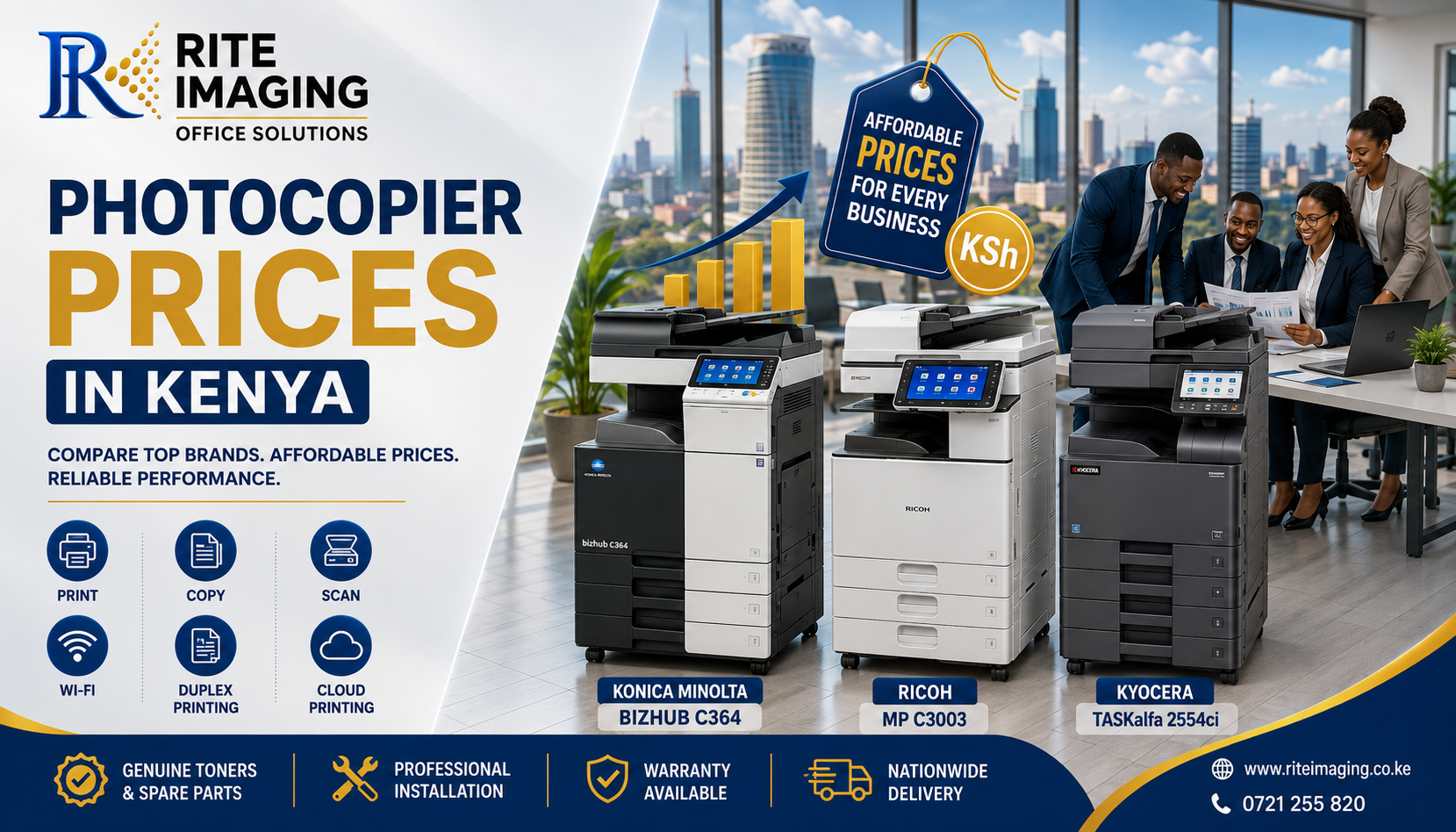
Photocopier Prices in Kenya (2026 Guide): How Much Does a Photocopier Cost? Brands, Features & Buying Tips

Looking for the Best Photocopier Prices in Kenya?

Whether you’re starting a new business, upgrading your office equipment, or expanding a print shop, one of the first questions you’ll ask is

“How much does a photocopier cost in Kenya?”

The answer depends on several factors, including the brand, printing speed, color capability, machine condition (brand new or refurbished), monthly print volume, and included features.

At Rite Imaging Office Solutions, we help businesses across Nairobi and Kenya choose affordable, reliable, and high-performance photocopiers from trusted brands such as Konica Minolta, Ricoh, and Kyocera. We also supply genuine and compatible toners, spare parts, and professional maintenance services to ensure your investment continues to perform for years.

If you’ve been searching for photocopier prices in Kenya, this guide will help you understand what to expect, compare popular models, and choose the best machine for your office.

Why Every Modern Business Needs a Multifunction Photocopier

Today’s photocopiers are much more than machines that make copies. They are complete document management systems designed to improve productivity, reduce printing costs, and streamline office workflows.

A modern multifunction photocopier can:

  • Print high-quality documents
  • Copy in black & white or full color
  • Scan directly to email, USB, cloud storage, or network folders
  • Print automatically on both sides of the paper (duplex printing)
  • Connect to office networks and mobile devices
  • Handle thousands of pages every month with ease

Instead of buying separate printers, scanners, and copiers, businesses can invest in one reliable multifunction machine that performs every task efficiently.

What Determines Photocopier Prices in Kenya?

Several factors influence the cost of a photocopier.

1. Brand

Well-established brands such as Konica Minolta, Ricoh, and Kyocera are known for durability, print quality, and readily available spare parts.

2. Print Speed

Print speed is measured in pages per minute (PPM).

  • 20–25 PPM – Small offices
  • 30–36 PPM – Medium businesses
  • 45–60+ PPM – Large offices and print shops

Higher-speed machines generally cost more but offer greater productivity.

3. Color or Monochrome

Color photocopiers are ideal for marketing materials, presentations, schools, and design work, while monochrome machines are perfect for businesses focused on high-volume document printing.

4. Machine Condition

  • Brand New
  • Professionally Refurbished

Professionally refurbished machines provide excellent value for businesses looking to reduce costs without sacrificing performance.

5. Additional Features

Premium models may include:

  • Wireless printing
  • Cloud integration
  • Mobile printing
  • Advanced security
  • Touchscreen controls
  • Automatic document feeders
  • Large paper capacities

Average Photocopier Prices in Kenya

TypeEstimated Price
Entry-Level Monochrome PhotocopierKSh 60,000 – KSh 120,000
Mid-Range Color PhotocopierKSh 90,000 – KSh 250,000
High-Speed Office PhotocopierKSh 150,000 – KSh 500,000
Production Print SystemsKSh 800,000 – KSh 5,000,000+

Prices vary depending on specifications, accessories, warranty, and stock availability.

Konica Minolta Photocopier Prices in Kenya

Konica Minolta is one of Kenya’s most trusted photocopier brands, offering excellent image quality, reliable performance, and low operating costs.

Popular Models

Bizhub C224/224e

Approximate Price: KSh 78,000 – KSh 145,000

Features

  • 22 Pages Per Minute
  • Print, Copy & Scan
  • Full Color Printing
  • Duplex Printing
  • Network Printing
  • 1200 dpi Resolution

Compatible Toners

  • TN321 Black
  • TN321 Cyan
  • TN321 Magenta
  • TN321 Yellow

Ideal for SMEs, schools, and growing businesses.

Bizhub C364/364e

Approximate Price: KSh 90,000 – KSh 150,000

Features

  • 36 PPM
  • Automatic Duplex
  • Scan to Email
  • Mobile Printing
  • Large Touchscreen

Compatible Toners

  • TN321 Black
  • TN321 Cyan
  • TN321 Magenta
  • TN321 Yellow

Perfect for medium-sized offices with higher print volumes.

Bizhub C454

Approximate Price: KSh 115,000 – KSh 180,000

Features

  • 45 PPM
  • High Paper Capacity
  • Fast Dual Scanning
  • Secure Printing

Compatible Toners

  • TN512 Black
  • TN512 Cyan
  • TN512 Magenta
  • TN512 Yellow

Recommended for busy offices, universities, and print shops.

Bizhub C458

Approximate Price: KSh 130,000 – KSh 250,000

Features

  • 45 PPM
  • Cloud Connectivity
  • Mobile Printing
  • Advanced Security
  • Large Touchscreen

Compatible Toners

  • TN514 Black
  • TN514 Cyan
  • TN514 Magenta
  • TN514 Yellow

An excellent choice for organizations requiring enterprise-level performance.

Ricoh Photocopier Prices in Kenya

Ricoh photocopiers are renowned for their durability, exceptional print quality, and low maintenance requirements. They are widely used in corporate offices, educational institutions, hospitals, and commercial print centers.

Popular Models

Ricoh MP C2003

Approximate Price: KSh 85,000 – KSh 130,000

  • 20 PPM
  • Print, Copy & Scan
  • Duplex Printing
  • Network Connectivity

Compatible Toners

  • Ricoh MP C2003 Black
  • Cyan
  • Magenta
  • Yellow

Ricoh MP C2503

Approximate Price: KSh 95,000 – KSh 145,000

  • 25 PPM
  • Color Printing
  • Wireless Printing
  • Scan to Email

Compatible Toners

  • Ricoh MP C2503 Black
  • Cyan
  • Magenta
  • Yellow

Ricoh MP C3003

Approximate Price: KSh 110,000 – KSh 170,000

  • 30 PPM
  • Smart Operation Panel
  • Automatic Duplex
  • Network Printing

Compatible Toners

  • Ricoh MP C3003 Black
  • Cyan
  • Magenta
  • Yellow

Ricoh MP C3503

Approximate Price: KSh 120,000 – KSh 190,000

  • 35 PPM
  • High Monthly Duty Cycle
  • Mobile Printing
  • Secure Printing

Compatible Toners

  • Ricoh MP C3503 Black
  • Cyan
  • Magenta
  • Yellow

Kyocera Photocopier Prices in Kenya

Kyocera photocopiers are famous for their ECOSYS technology, long-life components, and extremely low running costs. They are ideal for businesses looking to minimize maintenance expenses while maintaining excellent performance.

Popular Models

TASKalfa 2554ci

Approximate Price: KSh 180,000 – KSh 280,000

  • 25 PPM
  • Color Printing
  • Touchscreen
  • Mobile Printing

Compatible Toners

  • TK-8365 Black
  • Cyan
  • Magenta
  • Yellow

TASKalfa 3554ci

Approximate Price: KSh 250,000 – KSh 350,000

  • 35 PPM
  • Fast Dual Scanning
  • Automatic Duplex
  • Secure Printing

Compatible Toners

  • TK-8365 Series

TASKalfa 4054ci

Approximate Price: KSh 320,000 – KSh 450,000

  • 40 PPM
  • Enterprise Security
  • Large Capacity
  • Cloud Printing

Compatible Toners

  • TK-8545 Series

TASKalfa 5054ci

Approximate Price: KSh 420,000 – KSh 600,000

  • 50 PPM
  • Heavy-Duty Printing
  • Advanced Workflow Features
  • High-Speed Scanning

Compatible Toners

  • TK-8555 Series

Genuine & Compatible Toners Available at Rite Imaging Office Solutions

To help you keep printing costs low, Rite Imaging Office Solutions supplies both genuine and premium-quality compatible consumables for leading photocopier brands.

We stock:

Konica Minolta Toners

  • TN321 Series
  • TN512 Series
  • TN514 Series
  • TN619 Series
  • Developer Units
  • Drum Units
  • Imaging Units

Ricoh Toners

  • MP C2003
  • MP C2503
  • MP C3003
  • MP C3503
  • MP C4503
  • MP C5503
  • IM C3000 Series

Kyocera Toners

  • TK-8365
  • TK-8345
  • TK-8505
  • TK-8525
  • TK-5270
  • TK-5280
  • TK-4145
  • TK-3060

We also supply drums, maintenance kits, transfer belts, fuser units, developers, and other genuine spare parts.

Why Buy from Rite Imaging Office Solutions?

Choosing the right supplier is just as important as choosing the right photocopier.

When you buy from Rite Imaging Office Solutions, you benefit from:

  • Competitive photocopier prices in Kenya
  • Brand-new and professionally refurbished machines
  • Genuine and compatible toner cartridges
  • Nationwide delivery
  • Professional installation
  • User training
  • Preventive maintenance
  • Fast repair services
  • Readily available spare parts
  • Experienced technical support

Whether you’re a small business, school, hospital, government office, NGO, or corporate organization, our team will recommend the right photocopier based on your budget and monthly print volume.

Final Thoughts

Finding the right photocopier prices in Kenya isn’t just about choosing the cheapest machine; it’s about investing in reliability, efficiency, and long-term value. A well-selected photocopier can significantly improve productivity, reduce printing costs, and support your business as it grows.

Whether you prefer Konica Minolta, Ricoh, or Kyocera, Rite Imaging Office Solutions offers a wide range of multifunction photocopiers backed by expert advice, genuine consumables, and dependable after-sales support.

If you’re looking for photocopier prices in Kenya, photocopier dealers in Nairobi, or a trusted supplier of office printing solutions, contact Rite Imaging Office Solutions today. Our experienced team is ready to help you choose the ideal machine and provide the maintenance and consumables you need to keep your business running smoothly.

How to Buy the Right Photocopier or Printer in Kenya: Avoid These 7 Common Mistakes

Buying a photocopier or printer is one of the most important investments for any business. Whether you’re opening a cyber café, school, SACCO, hospital, office, church, or printing business, choosing the right machine can improve productivity, reduce operating costs, and increase profits.

Unfortunately, many businesses make expensive mistakes when they buy a photocopier in Kenya or buy a printer in Kenya, leading to constant breakdowns, high maintenance costs, and poor performance.

In this guide, we’ll discuss the seven most common mistakes and show you how to avoid them so you can make the best investment for your business.

1. Buying Based on Price Alone

Everyone wants to save money.

However, choosing the cheapest photocopier or printer often becomes the most expensive decision in the long run.

A machine with a low purchase price may have:

  • Expensive toner
  • Difficult-to-find spare parts
  • Poor print quality
  • High power consumption
  • Frequent repairs

Instead of focusing only on the buying price, consider the Total Cost of Ownership (TCO), which includes:

  • Toner costs
  • Servicing
  • Spare parts
  • Electricity consumption
  • Expected lifespan

A quality machine will save you much more over several years.

2. Buying a Machine That Doesn’t Match Your Business Needs

Different businesses have different printing requirements.

For example:

Business TypeRecommended Machine
Small officeCompact multifunction printer
SchoolHigh-speed photocopier
Cyber caféHeavy-duty copier
HospitalReliable network printer
Corporate officeLarge multifunction photocopier

Buying a small printer for heavy daily printing usually results in:

  • Frequent paper jams
  • Slow printing
  • Overheating
  • Short machine lifespan

Always estimate:

  • Daily print volume
  • Number of users
  • Colour or black & white printing
  • Scanning needs
  • Paper sizes required

3. Ignoring Toner and Running Costs

Many buyers only ask:

“How much is the machine?”

A better question is

“How much will it cost me every month to operate?”

Some printers have affordable purchase prices but extremely expensive toner cartridges.

Others require drum replacements more frequently.

Before you buy a printer in Kenya, ask your supplier:

  • Toner yield
  • Cost per page
  • Availability of toner
  • Availability of compatible toner
  • Availability of drums and developer units

This can save your business thousands of shillings every year.

4. Buying from Unverified Sellers

One of the biggest mistakes businesses make is buying from unknown online sellers offering unbelievable prices.

The risks include:

  • Fake machines
  • Poor-quality refurbished equipment
  • Missing accessories
  • No warranty
  • No after-sales support
  • No spare parts

Always choose a trusted supplier that offers:

  • Professional installation
  • Warranty
  • Technical support
  • Genuine parts
  • Reliable servicing

A reputable supplier becomes your long-term business partner, not just a seller.

5. Overlooking Future Business Growth

Your business today may not look the same one year from now.

A printer suitable for five employees may struggle when your team grows to twenty.

Consider buying equipment that allows for:

  • Network printing
  • Additional paper trays
  • Faster print speeds
  • Higher monthly duty cycles
  • Advanced finishing options

Planning ahead prevents expensive upgrades later.

6. Ignoring Maintenance and Service Support

Even the best photocopiers require regular servicing.

Without proper maintenance:

  • Print quality decreases
  • Rollers wear out
  • Toner leaks occur
  • Paper jams increase
  • Downtime becomes frequent

Before purchasing, ask:

  • Is servicing available?
  • Are technicians locally available?
  • How quickly can repairs be completed?
  • Are spare parts stocked in Kenya?

Reliable after-sales support is just as important as the machine itself.

7. Not Asking About Genuine vs Compatible Consumables

Many businesses don’t realize that toner quality significantly affects machine performance.

Using poor-quality toner can lead to:

  • Faded prints
  • Toner leakage
  • Damage to imaging units
  • Frequent servicing
  • Reduced machine lifespan

Choose a supplier who advises you honestly on:

  • Genuine toner
  • High-quality compatible toner
  • Cost-saving options without compromising quality

This helps maintain excellent print quality while keeping operational costs manageable.

How to Choose the Right Photocopier or Printer

Before making your purchase, ask yourself these questions:

✔ How many pages do we print daily?

✔ Do we need color printing?

✔ Will multiple employees use the machine?

✔ Is network printing required?

✔ What is our monthly printing budget?

✔ Are spare parts easily available?

✔ Does the supplier offer servicing?

✔ What warranty is included?

Answering these questions will help you select equipment that supports your business today and in the future.

Why Businesses Across Kenya Choose Rite Imaging Office Solutions

At Rite Imaging Office Solutions, we understand that every business has unique printing needs. We don’t just sell machines, we help you choose the right solution based on your workload, budget, and long-term goals.

When you buy from us, you benefit from:

  • A wide selection of quality photocopiers and printers
  • New and professionally refurbished machines
  • Expert advice tailored to your business
  • Affordable pricing
  • Genuine and high-quality compatible toners
  • Readily available spare parts
  • Professional installation and setup
  • Reliable maintenance and repair services
  • Fast customer support across Kenya

Whether you’re starting a new business, replacing outdated equipment, or expanding your office, our experienced team is ready to help you make a confident and cost-effective choice.

Popular Brands We Supply

We stock dependable office equipment from leading brands, including:

  • Konica Minolta
  • Ricoh
  • Kyocera

Our experts can help you compare models and recommend the most suitable machine for your business needs.

Choosing the right printer or photocopier is more than finding the lowest price, it’s about investing in reliability, efficiency, and long-term value. By avoiding these common mistakes, you’ll reduce operating costs, minimize downtime, and enjoy better productivity.

If you’re planning to buy a photocopier in Kenya or buy a printer in Kenya, let Rite Imaging Office Solutions guide you through the process. Our knowledgeable team will help you select the right machine, provide ongoing technical support, and ensure your investment delivers value for years to come.

Contact Rite Imaging Office Solutions today for expert advice, competitive prices, and dependable office printing solutions trusted by businesses across Kenya.

Back to Top
Need Help? Chat with us
David
Typically replies within a day
Product has been added to your cart
Compare (0)