
How to Fix Common Bizhub Error Codes Without Guesswork
If your Konica Minolta Bizhub photocopier suddenly stops working and displays a mysterious error code, don’t panic. Most Bizhub error codes are designed to help identify exactly what’s wrong with your machine. Some issues can be resolved within minutes, while others require professional servicing.
In this guide, we’ll explain the most common Konica Minolta Bizhub error codes, what causes them, and the best solutions to get your printer back to work quickly.
Whether you own a Bizhub C224e, C364e, C360i, C250i, C450i, or any other Konica Minolta multifunction printer, this article will help you troubleshoot like a professional.
Why Understanding Bizhub Error Codes Matters
Every minute your office printer is down means:
- Delayed printing
- Lost productivity
- Missed deadlines
- Frustrated employees
- Increased repair costs
Knowing what these Bizhub error codes mean allows you to:
- Diagnose problems faster
- Avoid unnecessary downtime
- Prevent expensive damage
- Know when a simple restart is enough
- Decide when professional servicing is necessary
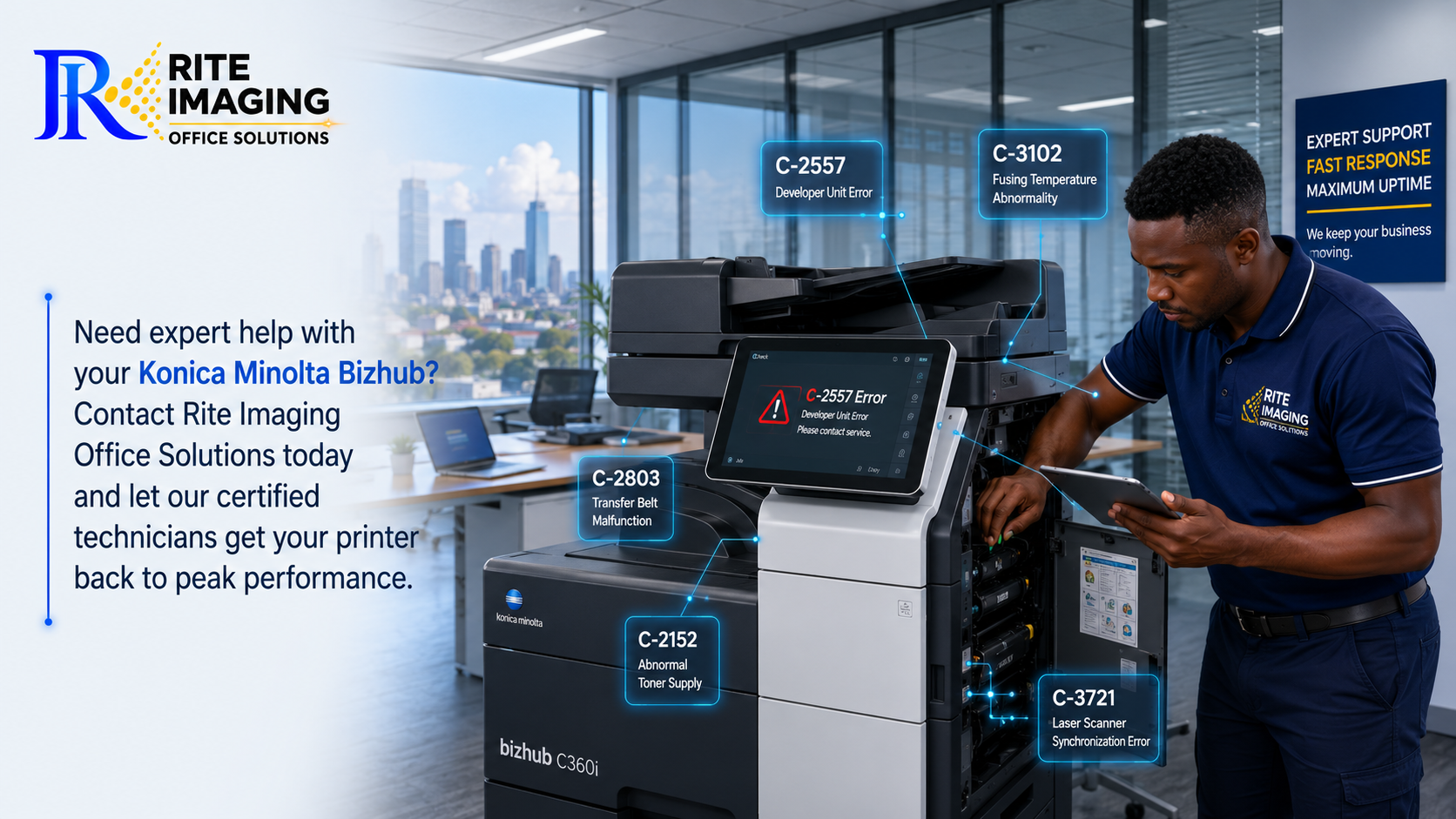
1. C-2557 Error
Meaning
Developer failure or toner density abnormality.
Common Causes
- Low developer
- Incorrect toner
- Worn developer unit
- Imaging unit problem
How to Fix It
- Check toner installation.
- Confirm you’re using the correct toner.
- Replace the developer if necessary.
- Perform Toner Density Adjustment.
- If the error returns, the imaging unit may require replacement.
2. C-2803 Error
Meaning
Transfer belt (Intermediate Transfer Belt) malfunction.
Common Causes
- Dirty transfer belt
- Belt motor problem
- Damaged transfer belt
- Sensor failure
Solution
- Clean the transfer belt.
- Restart the machine.
- Inspect the transfer belt assembly.
- Replace the belt if worn.
3. C-3102 Error
Meaning
Fusing temperature abnormality.
Common Causes
- Faulty fusing unit
- Thermistor contamination
- Heater lamp failure
Solution
- Turn the machine off.
- Allow it to cool.
- Restart.
- Clean the thermistor.
- Replace the fusing unit if necessary.
4. C-3451 Error
Meaning
Main motor abnormality.
Common Causes
- Main motor failure
- Mechanical obstruction
- Gear damage
Solution
- Check for paper jams.
- Inspect gears.
- Remove foreign objects.
- Replace the motor if required.
5. C-3721 Error
Meaning
Laser scanner synchronization failure.
Causes
- Dirty laser unit
- Scanner motor failure
- Loose cable
Solution
- Clean the laser window.
- Inspect scanner connections.
- Replace the laser scanner if defective.
6. C-5354 Error
Meaning
Waste toner full.
Causes
- Waste toner bottle full
- Sensor blocked
- Waste toner path clogged
Solution
- Empty or replace the waste toner container.
- Clean toner sensors.
- Reset the warning after replacement.
7. C-2152 Error
Meaning
Abnormal toner supply.
Causes
- Empty toner cartridge
- Blocked toner supply
- Toner motor failure
Solution
- Replace toner.
- Shake the cartridge gently.
- Inspect the toner drive.
- Clean the toner supply system.
8. C-0202 Error
Meaning
Paper tray lifting failure.
Causes
- Paper tray overloaded
- Lift motor issue
- Broken lifting mechanism
Solution
- Remove excess paper.
- Reload correctly.
- Restart the machine.
- Replace lift motor if necessary.
9. C-1440 Error
Meaning
ADF (Automatic Document Feeder) problem.
Causes
- Dirty rollers
- Paper jam
- Roller wear
Solution
- Remove paper.
- Clean rollers.
- Replace worn pickup rollers/ feed rubbers.
10. C-E301 Error
Meaning
Network communication error.
Causes
- Network interruption
- IP conflict
- Cable problem
Solution
- Restart the printer.
- Check Ethernet cable.
- Verify IP settings.
- Restart your network switch or router.
Quick Troubleshooting Checklist for Bizhub Error Codes
Before calling a technician, try these steps:
- Restart the printer.
- Check for paper jams.
- Confirm all doors are properly closed.
- Ensure toner cartridges are installed correctly.
- Clean accessible sensors.
- Verify power supply.
- Inspect network connections.
Many temporary Bizhub error codes disappear after these simple checks.
Errors You Should Never Ignore
Some errors indicate serious hardware problems and should be handled by qualified technicians.
These include:
- Fusing unit failures
- Laser scanner errors
- Main motor failures
- High-voltage supply errors
- EEPROM errors
- Memory failures
Attempting DIY repairs on these components may cause further damage.
Preventing Future Bizhub Error Codes
Regular maintenance dramatically reduces unexpected breakdowns.
Best Practices
- Clean the machine monthly.
- Use genuine or high-quality compatible toner.
- Replace worn rollers before failure.
- Empty waste toner bottles regularly.
- Update firmware when recommended.
- Schedule preventive maintenance every 6–12 months.
- Keep the machine in a clean, dust-free environment.
Proper maintenance can significantly extend the lifespan of your Konica Minolta photocopier.
When Should You Call a Technician?
Call a professional if:
- The same error keeps returning.
- The machine displays multiple error codes.
- You notice burning smells.
- The copier makes unusual grinding noises.
- Error codes appear immediately after restart.
- Internal components require replacement.
Ignoring recurring Bizhub error codes can lead to more expensive repairs.
Why Choose Rite Imaging Office Solutions?
At Rite Imaging Office Solutions, we specialize in the supply, repair, servicing, and maintenance of Konica Minolta Bizhub photocopiers across Kenya.
Our experienced technicians provide:
- Fast onsite repairs
- Genuine replacement parts
- Preventive maintenance
- Toner and consumables
- Firmware updates
- Technical support for all Bizhub models
Whether your machine has a simple paper feed issue or a complex system error, our team is ready to help restore your office productivity.
Frequently Asked Questions (FAQs)
What are Bizhub error codes?
Bizhub error codes are diagnostic messages displayed by Konica Minolta photocopiers to identify hardware, software, or maintenance issues.
Can I reset Bizhub error codes myself?
Some temporary errors can be cleared by restarting the machine. However, hardware-related errors often require servicing or replacement of faulty components.
Are Bizhub error codes the same on every Konica Minolta model?
Most error codes are similar across Bizhub models, but some vary depending on the machine’s generation and installed components.
How often should a Bizhub photocopier be serviced?
For offices with regular use, preventive maintenance every 6–12 months helps reduce downtime and prolongs equipment life.
What should I do if the same error keeps returning?
Repeated error codes usually indicate an underlying hardware issue. Continued use without repair may worsen the problem, so professional diagnosis is recommended.
Final Thoughts
Understanding Bizhub error codes can save your business time, money, and unnecessary frustration. While many issues have simple solutions, persistent or hardware-related errors should be addressed promptly to avoid costly downtime.
If your Konica Minolta photocopier continues to display error messages or needs expert attention, Rite Imaging Office Solutions is here to help with reliable servicing, genuine parts, and professional technical support across Kenya.
Need expert help with your Konica Minolta Bizhub? Contact Rite Imaging Office Solutions today and let our certified technicians get your printer back to peak performance.