
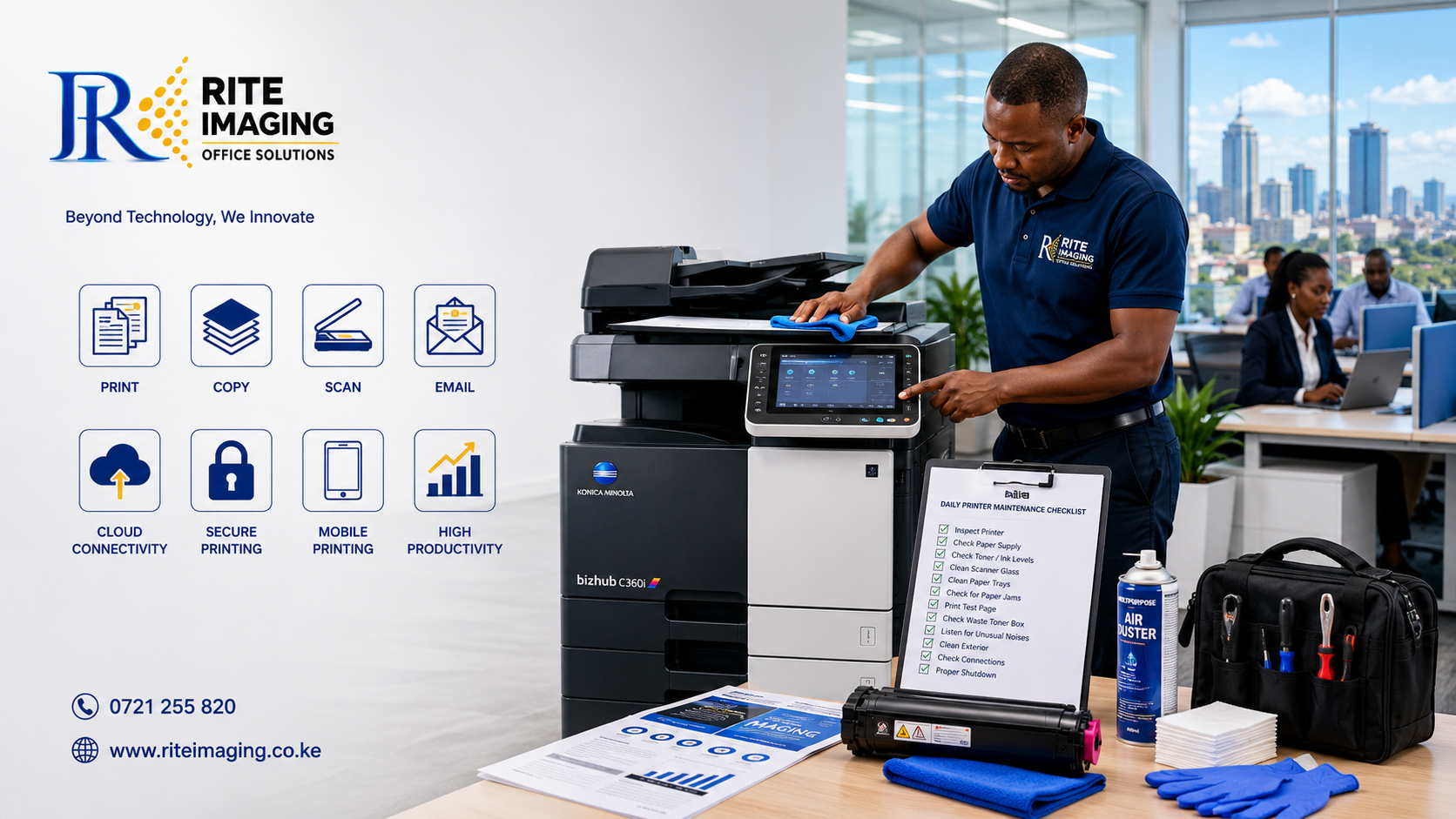
12 Simple Steps to Keep Your Printer Running Like New
Whether you own a small office printer or a high-volume multifunction photocopier, regular maintenance is the key to keeping your equipment running efficiently. Ignoring routine care can lead to paper jams, poor print quality, unexpected breakdowns, and costly repairs.
Following a printer maintenance checklist every day helps improve performance, reduce downtime, and extend the lifespan of your printer. In this guide, we’ll walk you through a simple daily maintenance routine that every business, school, and organization should follow.
Why a Daily Printer Maintenance Checklist Matters
Printers and photocopiers are among the hardest-working devices in any office. Dust, worn consumables, and improper handling gradually reduce their efficiency.
A daily printer maintenance checklist helps you:
- Prevent unexpected machine failures.
- Improve print quality.
- Reduce paper jams.
- Extend the lifespan of your printer.
- Lower maintenance and repair costs.
- Increase office productivity.
- Protect sensitive internal components from dust and debris.
Think of daily maintenance as preventive care; just a few minutes each day can save hours of downtime later.
12-Step Daily Printer Maintenance Checklist
1. Inspect the Printer Before Use
Start each day by checking the printer for:
- Error messages
- Warning lights
- Loose cables
- Unusual sounds
- Physical damage
Identifying small issues early prevents larger problems.
2. Clean the Exterior
Dust easily accumulates on printers.
Use a soft microfiber cloth to wipe:
- Control panel
- Paper trays
- Scanner glass cover
- Exterior casing
Avoid spraying cleaning liquid directly onto the printer.
3. Clean the Scanner Glass
Dirty scanner glass causes:
- Black lines on copies
- Blurred scans
- Poor-quality documents
Use a lint-free cloth with glass cleaner/home dry applied to the cloth, not directly on the glass.
4. Check Paper Supply
Using poor-quality paper is one of the leading causes of paper jams.
Ensure:
- Paper is dry.
- Sheets are not curled.
- Paper guides are adjusted correctly.
- Trays are not overloaded.
Always use the paper type recommended by the manufacturer.
5. Inspect Toner or Ink Levels
Low toner affects print quality and may interrupt large print jobs.
Check:
- Toner percentage
- Ink levels
- Toner warnings
Replace consumables before they become completely empty.
6. Remove Dust from Paper Trays
Paper trays attract dust that eventually enters the paper path.
Daily cleaning helps prevent:
- Multiple sheet feeding
- Paper jams
- Dirty prints
A soft brush or dry microfiber cloth works well.
7. Check for Paper Jams
Even if the printer appears to be working normally, inspect:
- Duplex unit
- Exit tray
- Fuser area (only if safe)
- Paper path
Caution: Never pull jammed paper forcefully.
8. Print a Test Page
Printing a test page every morning helps detect:
- Faded printing
- Missing colors
- Streaks
- Alignment problems
Resolving these issues early improves document quality throughout the day.
9. Empty Waste Toner Containers (When Needed)
Many multifunction printers have waste toner containers.
If full, the printer may stop operating.
Check alerts regularly and replace the container according to manufacturer guidelines.
10. Listen for Unusual Noises
Grinding, clicking, or squeaking sounds often indicate:
- Worn rollers
- Loose gears
- Foreign objects
- Failing components
Report unusual noises before they develop into major failures.
11. Shut Down Properly
Avoid switching off the printer directly from the power source.
Instead:
- Finish current print jobs.
- Use the printer’s power button.
- Allow it to complete its shutdown sequence.
Proper shutdown protects internal components.
12. Keep the Area Around the Printer Clean
The printer environment matters.
Keep the machine away from:
- Excessive dust
- Direct sunlight
- Moisture
- Food and drinks
Ensure there is enough ventilation around the printer to prevent overheating.
Common Printer Maintenance Mistakes to Avoid
Many printer problems result from simple mistakes.
Avoid:
- Using low-quality paper.
- Ignoring warning messages.
- Waiting until toner is completely empty.
- Cleaning with harsh chemicals.
- Overloading paper trays.
- Touching imaging drums with bare hands.
- Ignoring strange noises.
Small habits can significantly impact the lifespan of your printer.
Benefits of Following a Printer Maintenance Checklist
Businesses that follow a daily maintenance routine enjoy several advantages:
- Fewer service interruptions.
- Better print quality.
- Longer equipment lifespan.
- Reduced repair costs.
- Improved staff productivity.
- Lower overall operating expenses.
Regular maintenance is far less expensive than emergency repairs or replacing damaged components.
When Should You Call a Professional Technician?
Daily maintenance prevents many issues, but some problems require expert attention.
Contact a qualified technician if your printer experiences:
- Frequent paper jams
- Persistent error codes
- Toner leaks
- Poor print quality after cleaning
- Grinding or abnormal noises
- Network connectivity problems
- Slow printing performance
- Failure to power on
Professional servicing ensures problems are diagnosed and repaired correctly before they become more serious.
Why Choose Rite Imaging Office Solutions?
At Rite Imaging Office Solutions, we understand how essential reliable printing is to your business operations.
Our experienced technicians provide professional:
- Printer servicing
- Photocopier maintenance
- Preventive maintenance programs
- Toner and consumables supply
- Spare parts replacement
- On-site repairs
- Printer installation and support
Whether you operate a small office or manage multiple high-volume multifunction printers, our team is committed to keeping your equipment running at peak performance.
Final Thoughts
A few minutes of preventive care each day can make a significant difference in the performance and lifespan of your printer. By following this printer maintenance checklist, you can minimize downtime, improve print quality, and avoid costly repairs.
Remember, while daily maintenance helps prevent common issues, regular professional servicing is equally important for keeping your printer in excellent condition. Investing in preventive maintenance today will save you time, money, and frustration in the future.
Need Professional Printer Maintenance in Kenya?
Rite Imaging Office Solutions offers reliable printer and photocopier maintenance services for businesses, schools, NGOs, and government institutions across Kenya. Contact our team today to schedule preventive maintenance and keep your office printing without interruption.